1 min readUpdated  TuneSera
If something isn’t working as expected, TuneSera’s diagnostics collect the technical details our support team needs, and the maintenance tools fix common problems in one click.
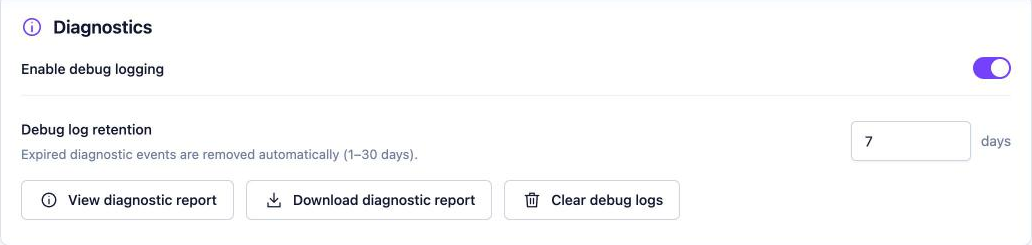
Debug logging#
- Go to TuneSera → Settings → Advanced → Diagnostics.
- Turn on Enable debug logging.
- Set Debug log retention (1–30 days). Older events are removed automatically.
- Reproduce the problem, for example run the import again.
View or share a diagnostic report#
- View diagnostic report: shows your TuneSera, WordPress and server details, plus recent events.
- Download diagnostic report: saves it as a file to attach to a support ticket.
- Clear debug logs: deletes stored events.
Turn debug logging off again once your issue is solved. It isn’t needed day to day.
Repair the directory page#
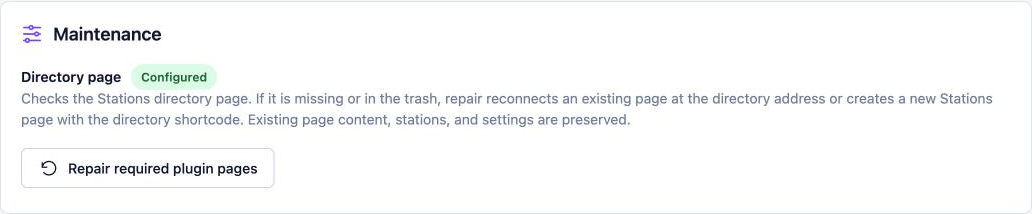
The Maintenance panel shows whether your directory page is Configured. If the page was deleted or moved to the Trash, click Repair required plugin pages. TuneSera reconnects an existing page at the directory address, or creates a new Stations page with the directory shortcode. Existing content, stations and settings are kept.
Related articles#
Was this article helpful?