1 min readUpdated  TuneSera
On this page
Set the fonts and text sizes used across your directory, station pages and player, so TuneSera fits your site’s style.
Pro feature. This feature needs TuneSera Pro with an active license. Get TuneSera Pro
Change typography#
- Go to TuneSera → Settings → Design → Typography.
- Adjust the settings below and watch the Live preview.
- Click Save changes.
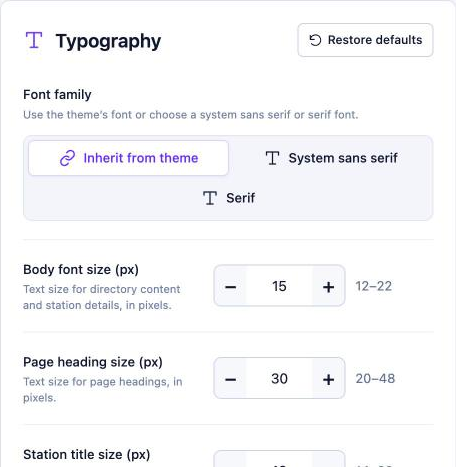
| Setting | Options |
|---|---|
| Font family | Inherit from theme (uses your theme’s font), System sans serif or Serif. |
| Body font size (px) | 12–22. Text in the directory and station details. |
| Page heading size (px) | 20–48. Headings such as the directory and archive titles. |
| Station title size (px) | The size of station names on cards. |
| Station title weight | How bold station names are. |
| Line height (%) | The spacing between lines of text. |
Click Restore defaults to undo all typography changes.
Inherit from theme is usually the best choice. It keeps your directory consistent with the rest of your site.
Related articles#
Was this article helpful?