1 min readUpdated  TuneSera
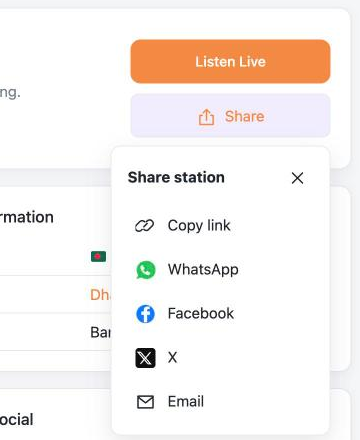
Let visitors share their favourite stations with friends by link, email, their device’s share sheet, WhatsApp, Facebook or X.
Where visitors share#
- The Share button on every station page.
- Share in the expanded sticky player.
Turn sharing on or off#
- Go to TuneSera → Settings → Advanced → Sharing.
- Use Enable sharing to turn the Share buttons on or off.
- Under Available sharing destinations, choose which options to offer: Copy link, WhatsApp, Facebook, X, Email and Native sharing.
- Click Save changes.
Native sharing uses the share sheet built into phones and some browsers, so visitors can share to any app they have installed. It only appears on devices that support it.
To hide sharing in the player only, turn off Show share action in Settings → Player → Visible controls.
Privacy#
WhatsApp, Facebook and X are only contacted when a visitor clicks their share link. They receive the station’s page address and title.
Related articles#
Was this article helpful?