2 min readUpdated  TuneSera
On this page
Import history keeps a record of every import, whether it came from the directory or a CSV file. Use it to check progress, resume a paused import, find out why stations failed, and download reports.
Open Import history#
Go to TuneSera → Import Stations and click Import history at the top right.
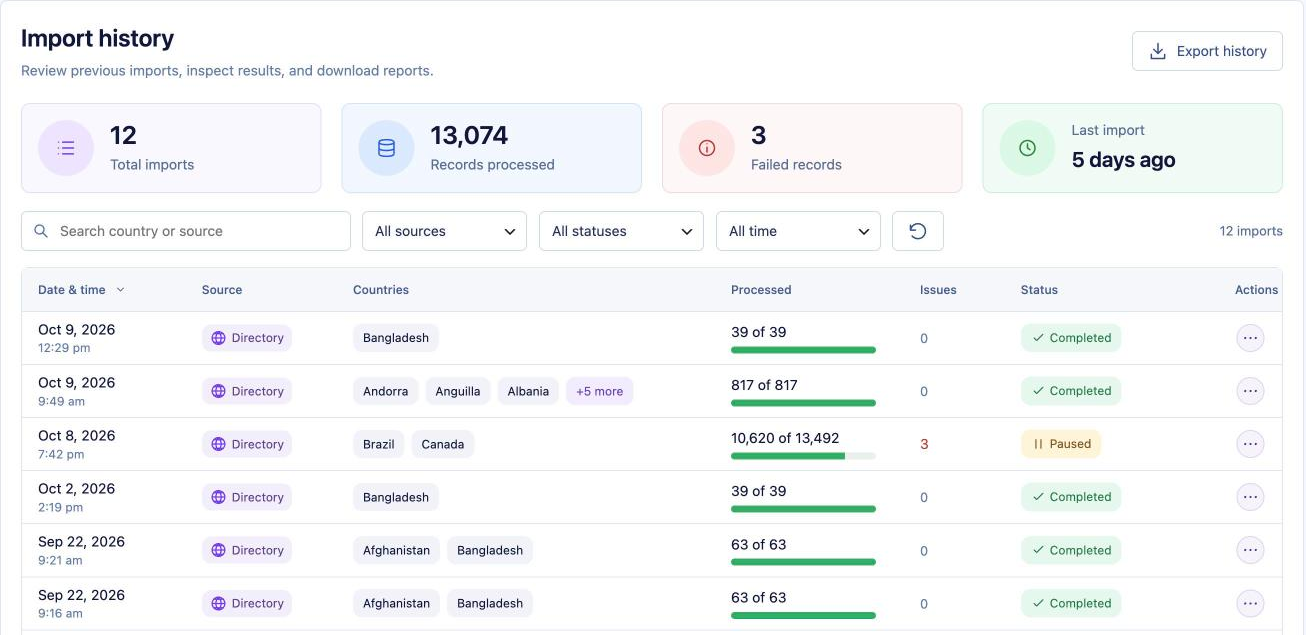
Read the overview#
- Total imports: how many imports you have run.
- Records processed: stations checked across all imports.
- Failed records: stations that couldn’t be imported.
- Last import: how long ago the most recent import ran.
Each row shows the date and time, the source (Directory or CSV upload), the countries, how many records were processed, any issues and the status.
Find an import#
- Search country or source: type a country name.
- Filter by source, status (Completed, Completed with issues, Failed, Cancelled, Paused, In progress) and date (Today, Last 7 days, Last 30 days).
- Click the refresh button to update the list, and choose 10, 20 or 50 imports per page.
Take action on an import#
Click the ⋯ button at the end of a row:
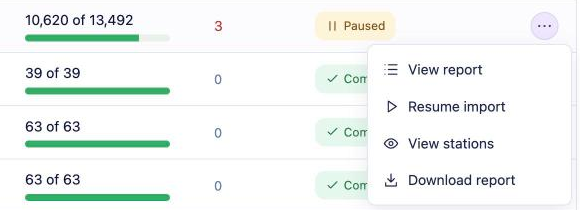
- View report: open the progress screen with results for each country and the import log.
- Resume import: continue a paused import.
- Review and retry: retry the stations that failed.
- View stations: see the stations created by this import in TuneSera → Stations.
- Download report: save a report of the import.
The import report#
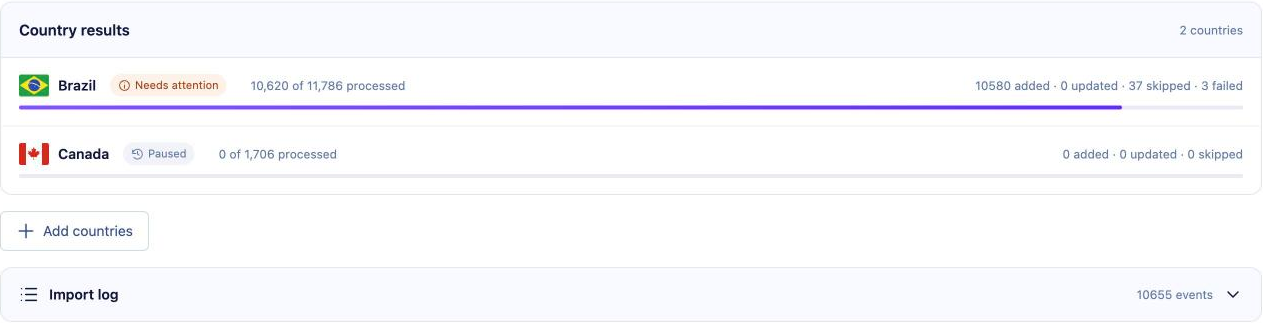
- Country results show progress for each country and how many stations were added, updated, skipped or failed.
- Open Import log to see every event. Filter by Imported, Skipped, Updated, Failed or Duplicates, search with Search events…, and click Download log to save it.
- For a paused or unfinished import, use Resume import, Retry unfinished stations or Cancel import. Cancelling keeps stations that were already imported.
Export your history#
Click Export history to download the filtered list as a CSV file.
Imports run in the background. While one is running, the progress screen tells you whether to keep the page open for faster importing, or that you can safely close it.
Related articles#
Was this article helpful?