2 min readUpdated  TuneSera
Local discovery starts each visitor’s directory with stations from their own country, so a listener in Brazil sees Brazilian stations first and a listener in Bangladesh sees Bangladeshi ones.
Pro feature. This feature needs TuneSera Pro with an active license. Get TuneSera Pro
Turn on local discovery#
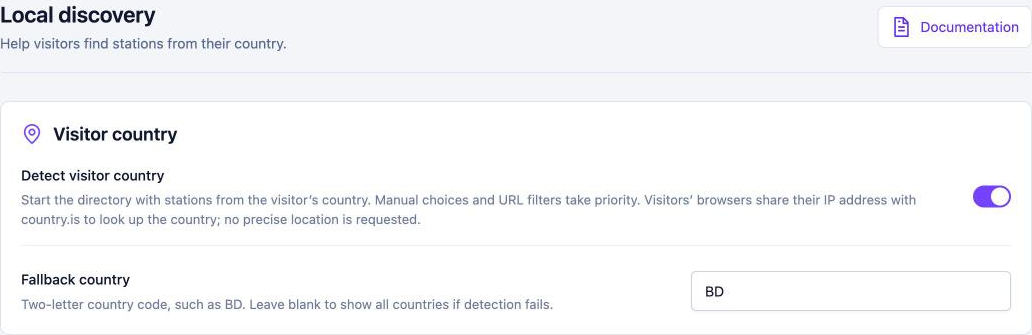
- Go to TuneSera → Settings → Local discovery.
- Turn on Detect visitor country.
- Optionally enter a Fallback country: a two-letter code such as
BD, used when a visitor’s country can’t be detected. Leave it blank to show all countries in that case. - Click Save changes.
How it works#
- When a visitor opens the directory without choosing any filters, TuneSera looks up their country and filters the list to it.
- If the visitor’s country has no stations, or the lookup fails, they see the fallback country or all stations.
- Visitors stay in control: picking a different country, or choosing all countries, always takes priority, and so do filters in the page address.
- Country archive pages keep showing their own country.
Privacy#
To find the country, each visitor’s browser asks the free country.is service, which receives the visitor’s IP address. No precise location is requested, and visitors don’t see a location permission prompt. The result is remembered in the browser for one hour. Local discovery is off by default. Mention country.is in your privacy policy if you turn it on.
Developers can point the lookup at a different service with the tunesera_pro_country_lookup_url filter.