2 min readUpdated  TuneSera
The shortcode builder creates shortcodes for you. Pick the options you want, check the live preview, and copy the result. No typing attributes by hand.
Open the builder#
Go to TuneSera → Settings → Shortcodes. Each shortcode has a card with a short description, the basic shortcode and an example with all attributes.

On each card:
- The copy button copies the shortcode.
- The eye button previews it in your theme’s page template (visible to administrators only).
- The wrench button opens the builder to customise it.
Customise a shortcode#
- Click the wrench (Customize) button on a card.
- Choose your options, such as view, number of items, or a country to filter by. Empty fields use the defaults.
- Watch the Live preview. Use Hide preview or the full-screen button if you need more room.
- Under Your shortcode, click Copy shortcode.
- Paste it into a Shortcode block on a page or post, save, and view the page.
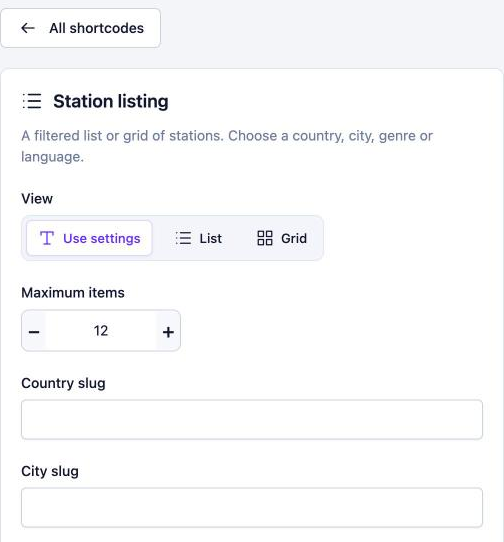

Click Reset builder to start over, or All shortcodes to go back to the list.
Builder choices only customise that one shortcode. They don’t change your plugin settings. Shortcodes still use your saved design settings, such as colours.
Pro: Pro shortcodes (player, locations, featured and popular stations) are marked with a PRO badge in the free plugin. Get TuneSera Pro
Related articles#
Was this article helpful?