5 min readUpdated  TuneSera
On this page
The setup wizard gets your radio directory live in five short steps: choose your directory page, add stations, pick a look, and review. You can stop at any time and pick up where you left off.
Open the setup wizard#
The wizard opens automatically the first time you activate TuneSera. To open it yourself, go to TuneSera → Setup Wizard. After you finish setup, that menu item is hidden, but you can reopen the wizard from TuneSera → Dashboard by clicking Review setup in the Directory details panel.
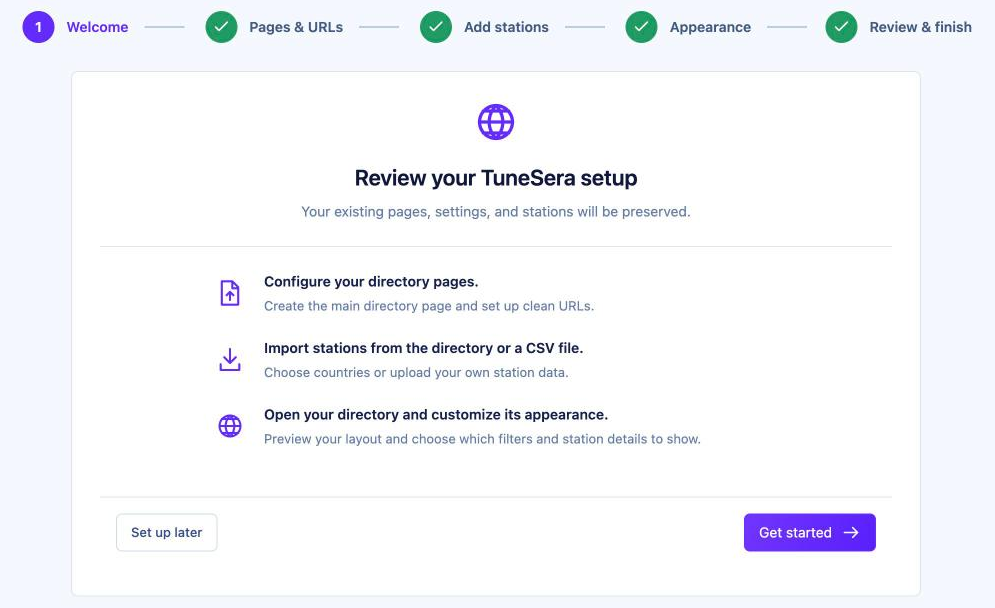
The five steps are shown across the top: Welcome, Pages & URLs, Add stations, Appearance and Review & finish. Completed steps get a green tick, and you can click any step you have already reached to go back to it.
Step 1: Welcome#
Click Get started to begin. If you would rather set things up yourself, click Set up later. You can come back to the wizard whenever you like.
Step 2: Pages & URLs#
Here you choose where visitors will browse your stations and how the list is displayed.
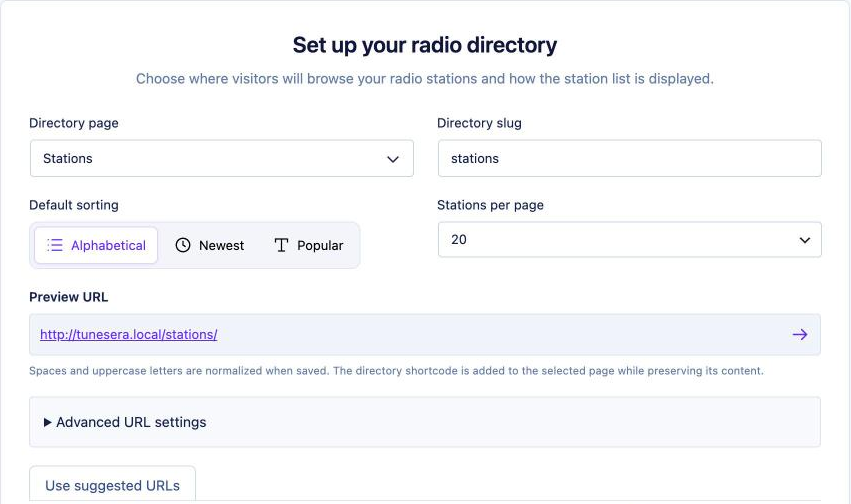
- Directory page – pick an existing page, or choose Create a directory page and enter a New page title. TuneSera adds the directory to the page and keeps any content already on it.
- Directory slug – the last part of the page address, for example
stations. Spaces and capital letters are tidied up automatically when you save. - Default sorting – Alphabetical or Newest.
- Stations per page – 10, 20, 30, 50 or 100.
- Check the Preview URL. It shows exactly where your directory will live.
- Click Save & continue.
Pro: The Popular sort orders stations by how often they are played on your site. Get TuneSera Pro
Advanced URL settings#
Open Advanced URL settings to change the words used in station and archive addresses. Most sites can keep the defaults.
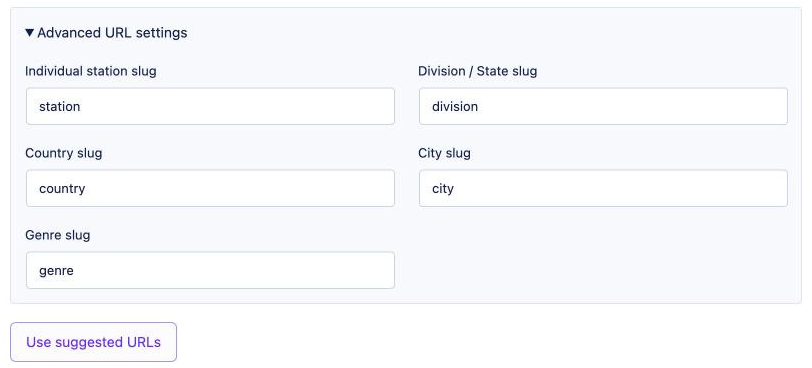
- Individual station slug – for example
/station/bbc-radio-1/ - Country slug, Division / State slug and City slug – used by location archive pages.
- Genre slug – used by genre pages.
Click Use suggested URLs to return to the recommended slugs.
If your site is already live, changing slugs changes the addresses of existing station and archive pages. Update any links you have shared.
Step 3: Add stations#
Add your first stations now, or skip this step and import later from TuneSera → Import Stations. Importing is optional.
Import from the directory#
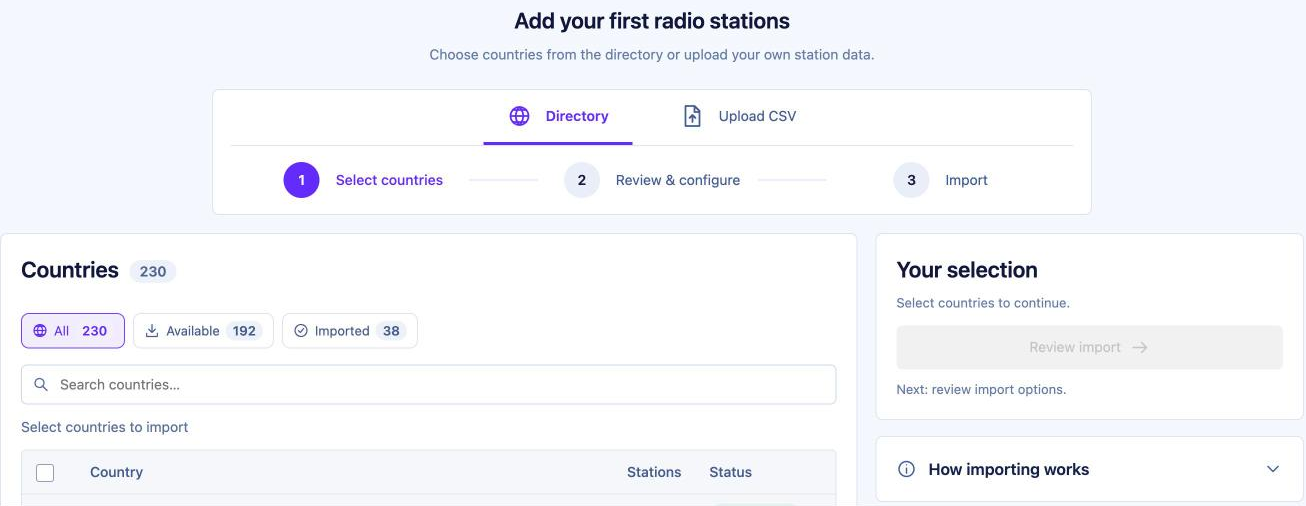
- Stay on the Directory tab.
- Under Select countries, tick the countries you want. Use Search countries… to find one quickly, and the All, Available and Imported filters to narrow the list.
- Click Review import.
- In Review & configure, check the summary and choose what to do with stations you already have: Import missing stations or Update existing and import missing.
- Click Start import and watch the progress. When it says Import completed, click Continue.
The free plugin includes 1,186 stations from 30 countries, so importing them doesn’t connect to any outside service.
Pro: Import from all 230 countries in the global catalog, and save station logos to your Media Library instead of loading them from their original addresses. Get TuneSera Pro
Upload a CSV file#
Switch to the Upload CSV tab, drag your file in or click Choose CSV file, then review and import. Each row needs a station name, stream URL and country code. Click Download sample CSV to see the expected columns. See Import from a CSV file for details.
Large imports can take a while. You can carry on to the next step while an import runs, and check its progress any time in TuneSera → Import Stations → Import history.
Step 4: Appearance#
Choose how your directory looks. The Live preview on the right updates as you go. Switch between Desktop, Tablet and Mobile to check each screen size.
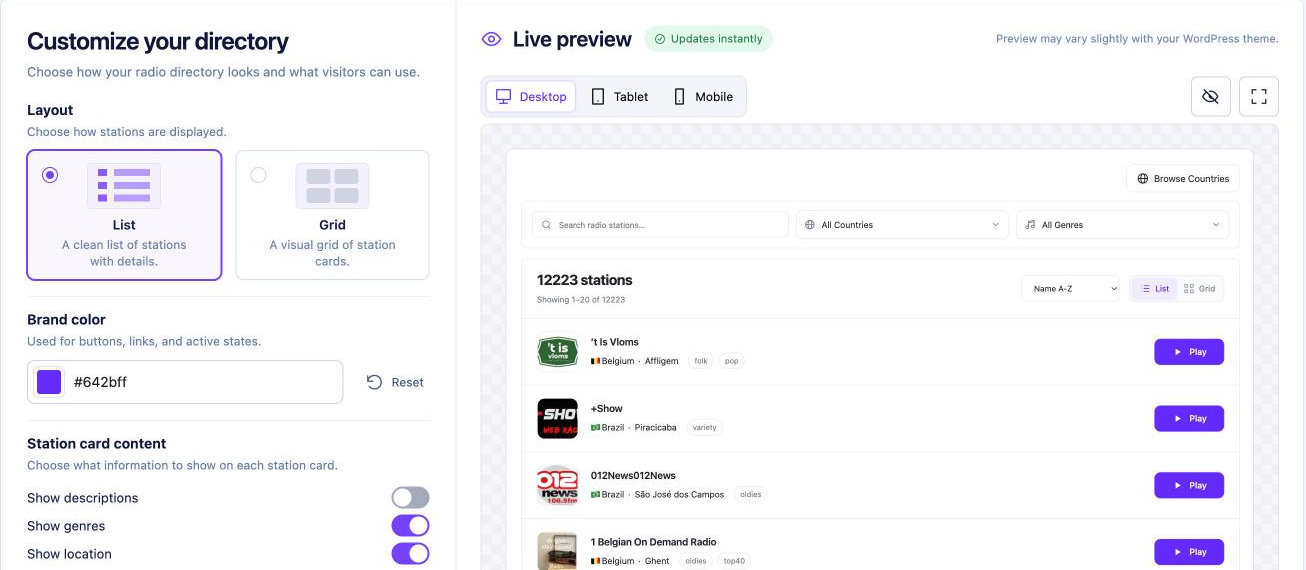
- Layout – List (a clean list with details) or Grid (station cards).
- Brand color – used for buttons, links and active states. Click Reset to go back to the default purple.
- Station card content – turn Show descriptions, Show genres and Show location on or off.
- Directory filters – choose which tools visitors see: Station search, Country filter, Genre filter and Language filter.
Click Save & continue, or Use default settings to keep the standard look. You can fine-tune many more options later in TuneSera → Settings.
The preview may look slightly different from your live site, because your theme also styles the page.
Step 5: Review & finish#
The last step shows a summary of your setup.
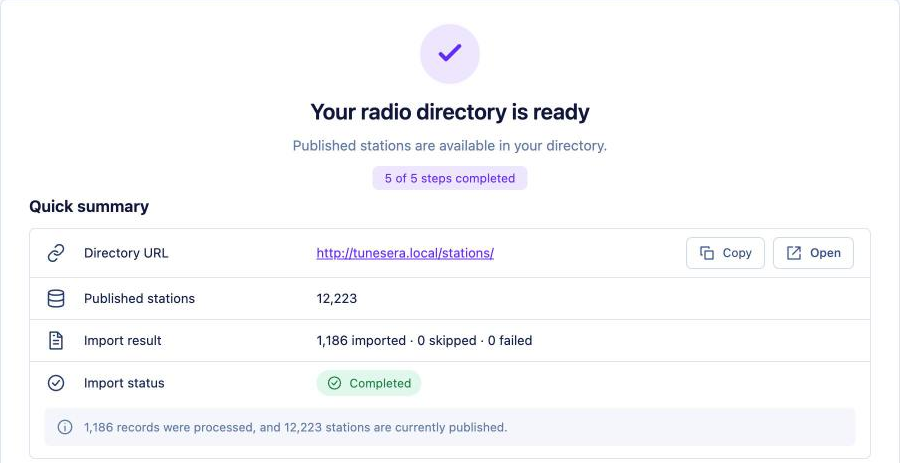
- Quick summary – your Directory URL (with Copy and Open buttons), published stations, and the result of your import.
- Configuration – your directory, stations and appearance choices. Click Edit next to any of them to jump back to that step.
- View technical details – the URL slugs in use and any draft stations.
Click Complete setup. Then click View directory to see your directory live.
Save and come back later#
Click Save and exit at the top right at any time. Your progress is kept, and the wizard shows your Last saved step when you return, so you can click Continue setup.
Running the wizard again on a site that is already set up is safe. Your existing pages, settings and stations are kept.