2 min readUpdated  TuneSera
On this page
A quick reference to every field in the station editor, what it is for, and where it appears.
Main fields#
- Title: the station name, shown everywhere the station appears.
- Description: the main editor text, shown on the station page and (shortened) on station cards.
- Countries, Cities and Genres: set in the sidebar. They power the filters, browse pages and archives.
Station details#
| Field | Tab | What it does |
|---|---|---|
| Stream URL | General | The direct audio stream address, such as an Icecast or SHOUTcast link. Use HTTPS when available. |
| Language | General | The broadcast language, for example English. Visitors can filter by language. |
| Timezone | General | The station’s time zone, for example Asia/Dhaka. Shown on the station page. |
| Broadcast Type | General | Online, FM, AM, DAB, FM / Online or AM / Online. |
| Frequency | General | For example 98.4 MHz. Can be shown on station cards. |
| Station logo | General | An image from your Media Library or an image URL. Square, at least 512 × 512 px. |
| Website | Website & social | The station’s own website. |
| Facebook, X/Twitter, Instagram, YouTube, TikTok | Website & social | Full profile links, including https://. |
| Wikipedia | Website & social | Link to the station’s Wikipedia article. |
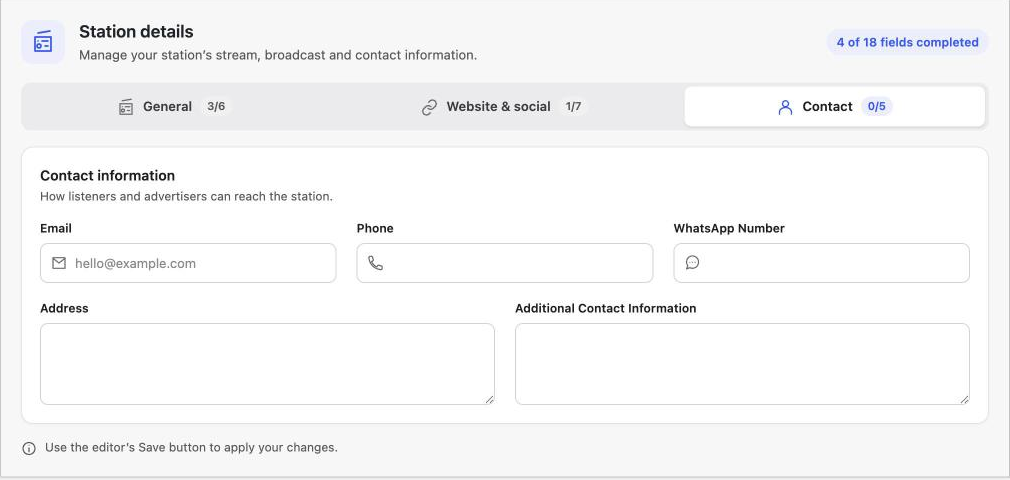
| Email, Phone, WhatsApp Number | Contact | How listeners and advertisers can reach the station. |
| Address | Contact | The station’s postal address. |
| Additional Contact Information | Contact | Anything else, such as studio hours or a request line. |

Fields filled in by imports#
Imported stations can also carry information you don’t edit by hand, such as the source ID used to spot duplicates, bitrate, codec and listener counts from the source directory.
Where fields appear#
You decide which details visitors see. Go to TuneSera → Settings → Layout to show or hide details on station cards and station pages, such as description, genres, location, language, frequency, contact information and social links.
Fill in Language and Genres for every station. They power the directory filters and browse pages, so stations without them are harder to find.
Related articles#
Was this article helpful?