2 min readUpdated  TuneSera
On this page
The sticky player sits at the bottom of your site and keeps playing while visitors move between pages. Start a station on the directory, open a station page or browse a country, and the music doesn’t stop.

What visitors can do#
- Play and pause the current station with the large button.
- Jump to the previous or next station in the list they were browsing.
- See the station’s logo, name, location and genres, plus the current song when the station shares it.
- See the playback status, such as Stopped or Playing.
- Mute or change the volume.
- Expand the player for more details, or minimize it to a smaller bar.
The expanded player#
Click the expand button to open a panel with:

- Now playing: the current song and artwork when available.
- About the station: location, genres, description and language, with links to the Station page and Website.
- Listening options: Share and, with Pro, Open popup player and Sleep timer.
Starting playback#
Visitors start a station with any Play button on a station card, or Listen Live on a station page. The sticky player then appears and stays on every page. TuneSera doesn’t autoplay: browsers require visitors to click before audio starts.
Turn the sticky player on or off#
Go to TuneSera → Settings → Player and use Show sticky player. When it is off, stations still play from their play buttons, but no bar is shown.
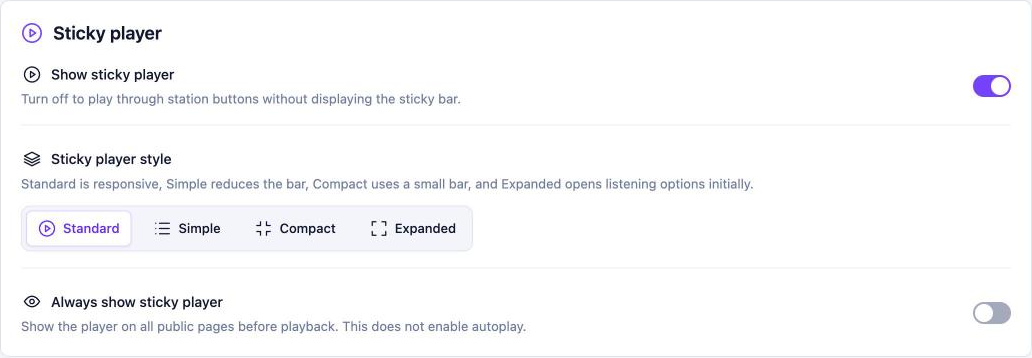
Pro: Choose a player style, show the player before anyone presses play, and pick a default station. See Player styles and default station. Get TuneSera Pro
The sticky player works with most themes. If it covers something at the bottom of your pages, such as a cookie banner or chat button, adjust that element’s position in its own settings.