2 min readUpdated  TuneSera
TuneSera Pro unlocks the global station catalog: more than 70,000 stations across 230 countries, ready to import the same way as the bundled stations.
Pro feature. This feature needs TuneSera Pro with an active license. Get TuneSera Pro
Import catalog countries#
- Make sure TuneSera Pro is installed and your license is active.
- Go to TuneSera → Import Stations. The country list now shows all 230 countries.
- Click Sync with directory to load the latest countries and station counts.
- Tick the countries you want, click Continue, choose your options and start the import.
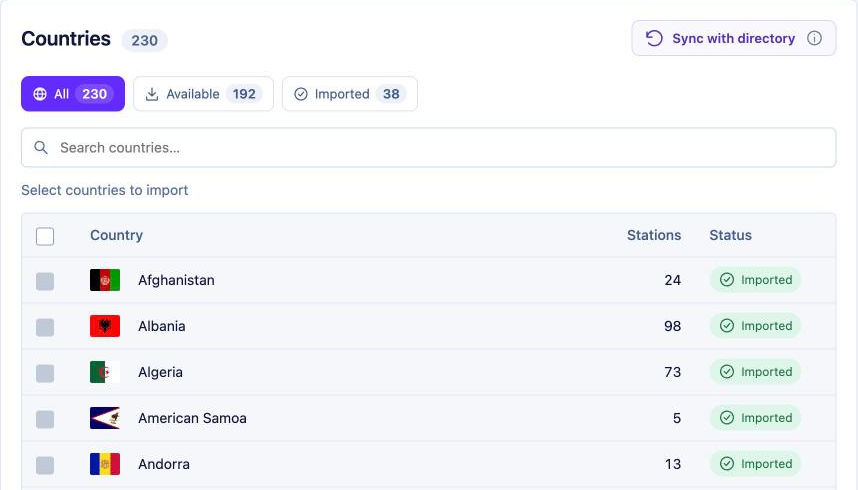
The import works exactly like importing by country. Stations are fetched in batches as the import runs, so even large countries import reliably.
Without Pro#
In the free plugin, the extra countries are listed under Unlock more countries, grouped by region, with an Upgrade to Pro button. Countries marked PRO can’t be selected until Pro is active.
Large imports#
- Big countries can contain thousands of stations. Imports continue in the background, and you can check them in Import history.
- If the connection or license check fails, the import pauses rather than losing work. Fix the issue and click Resume import. Stations already fetched are kept.
Privacy#
Catalog stations are downloaded from the TuneSera station catalog at worldradio.online. Each request includes a short-lived license proof from Freemius and your site address, so the catalog can confirm your license. No visitor data is sent, and requests only happen while an administrator imports.