2 min readUpdated  TuneSera
On this page
Decide what TuneSera Analytics collects and how long it keeps it. The defaults are privacy-friendly, and you can tighten or extend them to suit your site and local privacy laws.
Pro feature. This feature needs TuneSera Pro with an active license. Get TuneSera Pro
Go to TuneSera → Settings → Analytics, or click Analytics settings at the bottom of the Analytics screen.
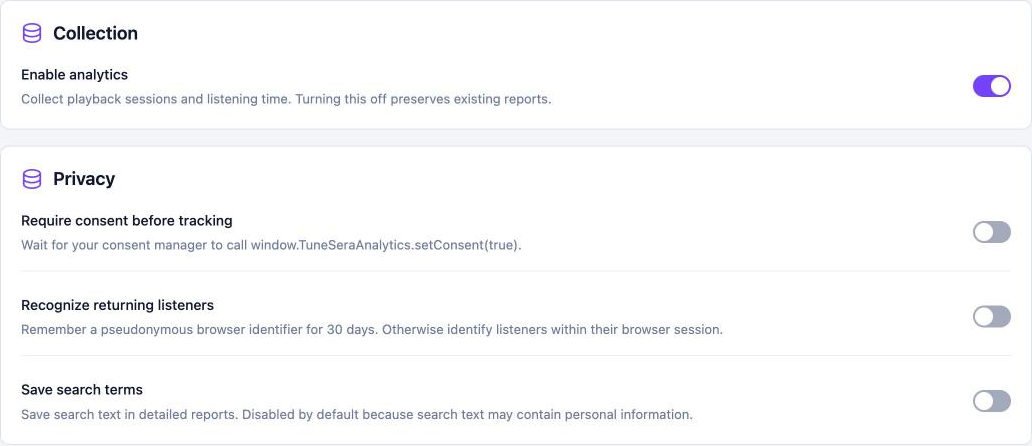
Collection#
Enable analytics turns collection on or off. Turning it off keeps your existing reports.
Privacy#
| Setting | What it does | Default |
|---|---|---|
| Require consent before tracking | Waits until your cookie or consent manager gives permission before collecting anything. | Off |
| Recognize returning listeners | Remembers a random browser ID for 30 days, so returning visitors count as one listener. When off, each browser session counts separately. | Off |
| Save search terms | Stores what visitors type into search. Off by default because searches may contain personal information. | Off |
Connect a consent manager#
With Require consent before tracking on, nothing is collected until your consent tool calls:
window.TuneSeraAnalytics?.setConsent(true);  // visitor accepted
window.TuneSeraAnalytics?.setConsent(false); // visitor declined: stops collection and clears the ID
Most consent managers let you run a snippet like this when a visitor accepts the “statistics” or “analytics” category.
Storage#
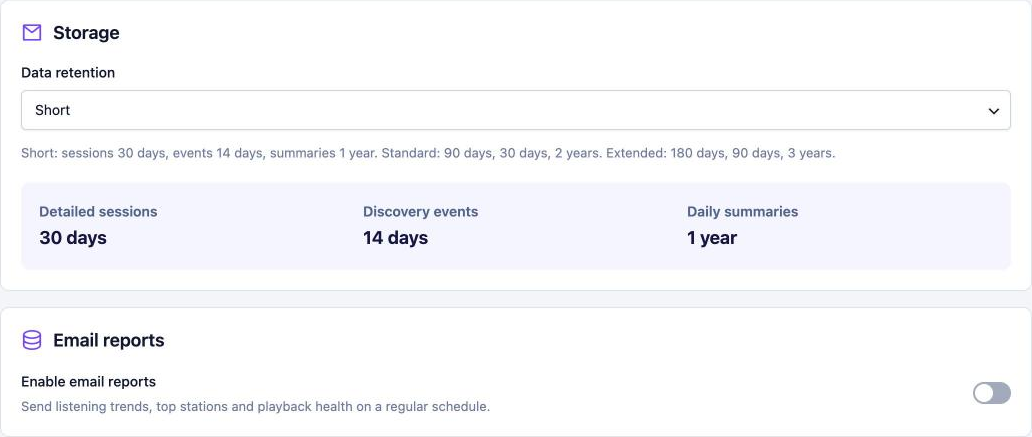
Choose how long data is kept under Data retention:
| Profile | Detailed sessions | Discovery events | Daily summaries |
|---|---|---|---|
| Short | 30 days | 14 days | 1 year |
| Standard | 90 days | 30 days | 2 years |
| Extended | 180 days | 90 days | 3 years |
Older data is removed automatically every hour, a little at a time.
What is never collected#
- No names or email addresses for visitors.
- No raw IP addresses.
- Only the website name of a referrer, never the full address.
TuneSera adds suggested wording to Settings → Privacy in WordPress for your privacy policy, and supports WordPress’s personal data export and erase tools.