On this page
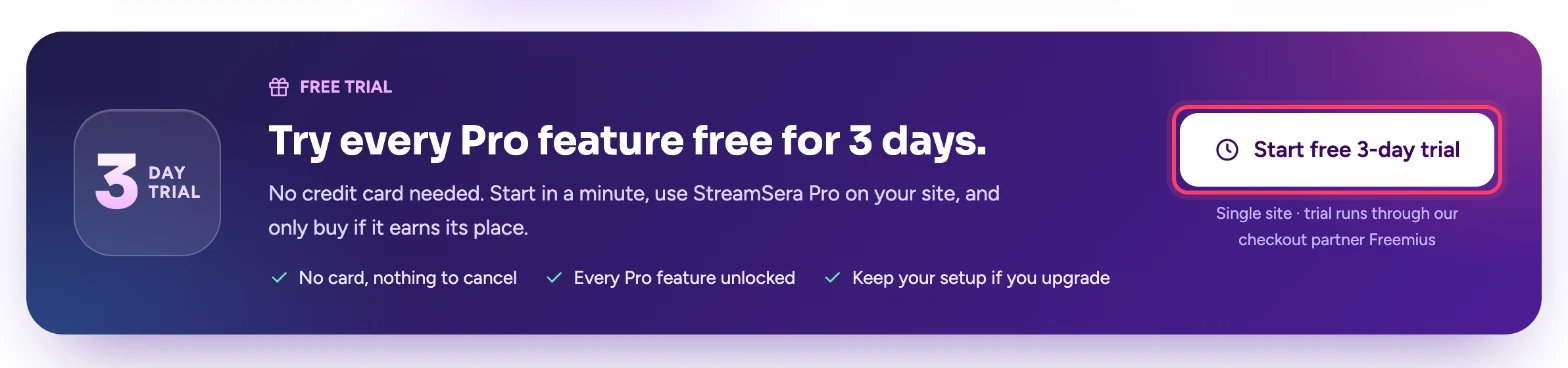
You can try every StreamSera Pro feature free for 3 days on one website. No credit card is needed and there is nothing to cancel.
Step 1: Start your trial#
- Open the StreamSera pricing page.
- Scroll to Try every Pro feature free for 3 days and click Start free 3-day trial.
- In the checkout window, enter your email address, first name and last name.
- Check the trial dates, then click Start Trial.
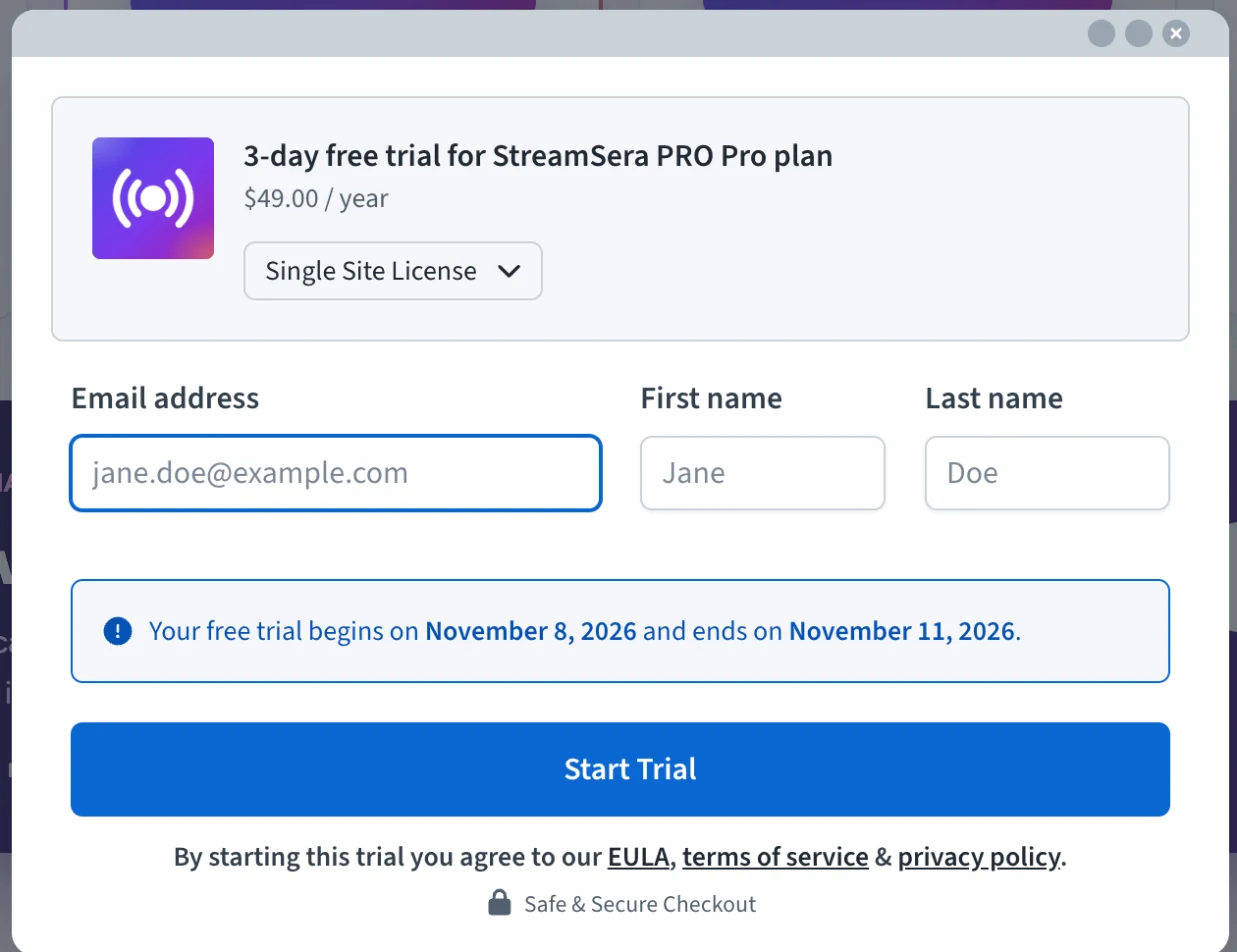
Checkout is handled by Freemius, our licensing and payments partner. You receive an email with your license key and a link to download StreamSera Pro. Keep this email.
Step 2: Install StreamSera Pro#
StreamSera Pro works on top of the free plugin. If you have not installed it yet, first install the free StreamSera plugin.
- Download the StreamSera Pro zip file from the link in your email.
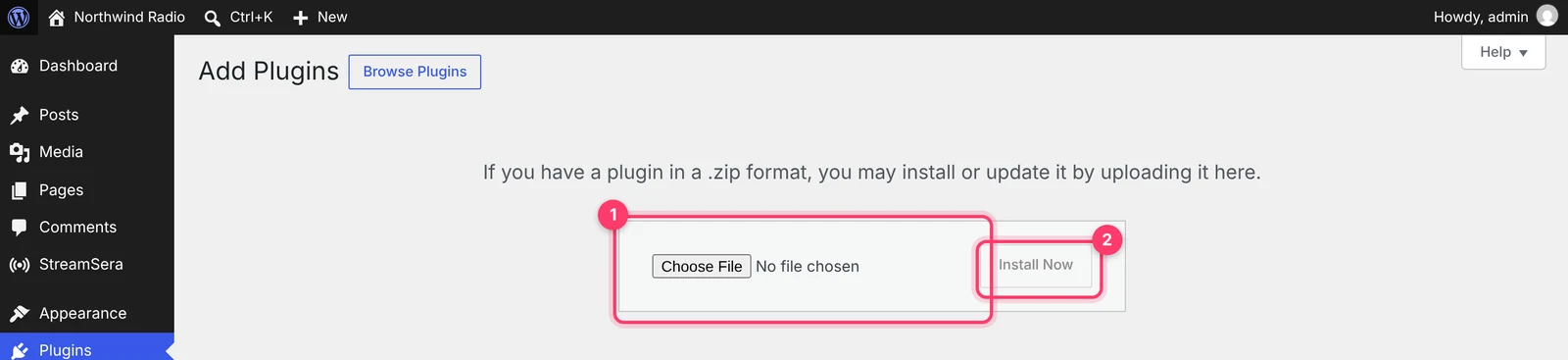
- In WordPress, go to Plugins → Add New Plugin and click Upload Plugin.
- Click Choose File, select the zip file and click Install Now.
- Click Activate Plugin.
Step 3: Activate your trial license#
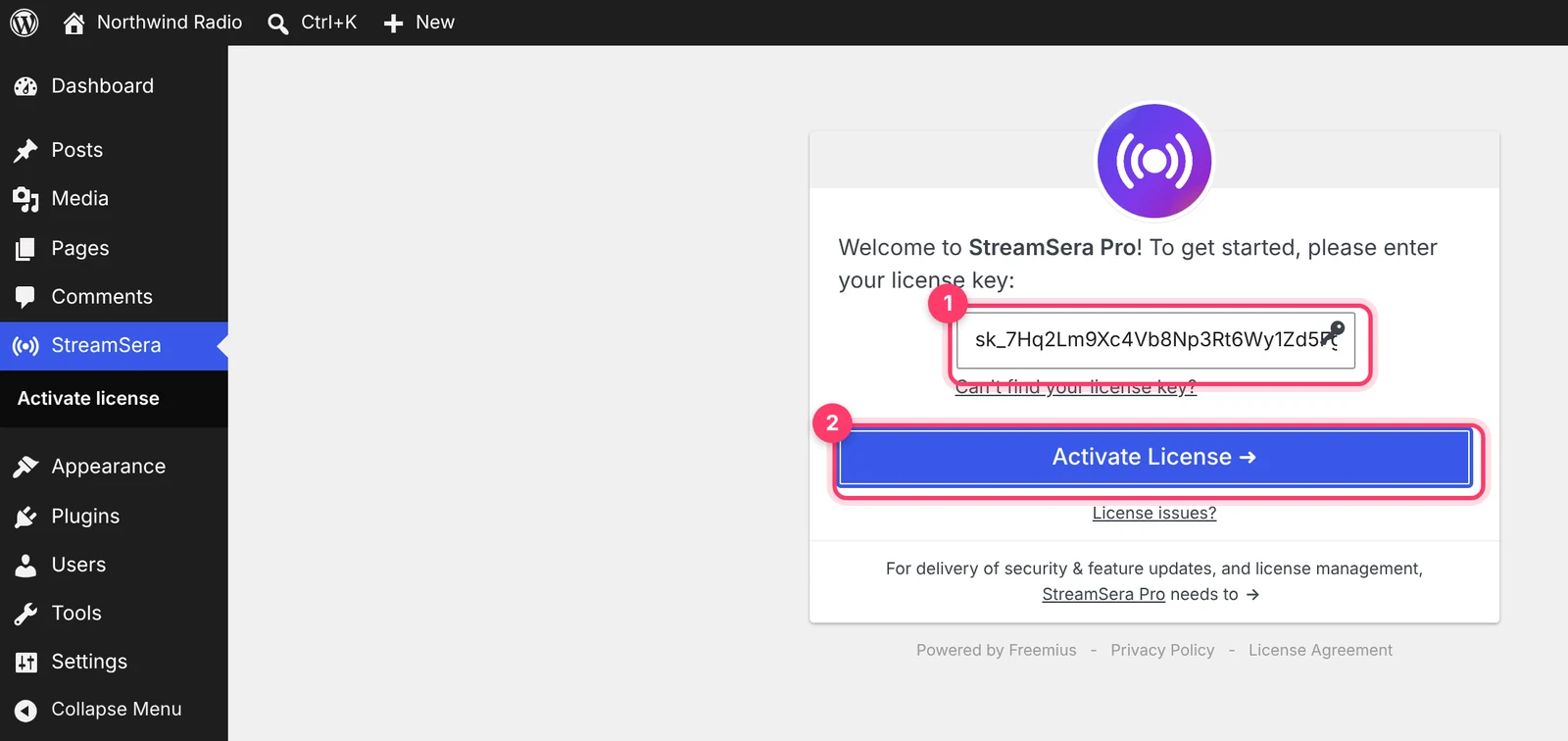
After activation, StreamSera shows the license screen.
- Paste the license key from your email into the License key box.
- Click Activate License.
That’s it. The Pro menus (Playlists, Schedule, Requests and Account) appear under StreamSera, and the Pro options show up in the player builder and settings.
What happens when the trial ends#
- After 3 days, the Pro features stop working until you buy a license. The free features keep working.
- Your stations, players and settings stay in place. When you buy Pro, everything you set up during the trial is still there.
- To keep Pro, buy a plan and follow How to Upgrade to StreamSera Pro.
Questions#
Do I need a credit card?#
No. The trial needs only your name and email address.
Can I try Pro on more than one site?#
The trial covers one website.
I lost my license key#
On the license screen, click Can’t find your license key? and enter your email address. The key is sent to you again.