On this page
Everything about your StreamSera Pro license is in two places: the Account page in your WordPress admin, for the site you are on, and the customer portal, for all your licenses, invoices and downloads.
Your Account page#
Go to StreamSera → Account.
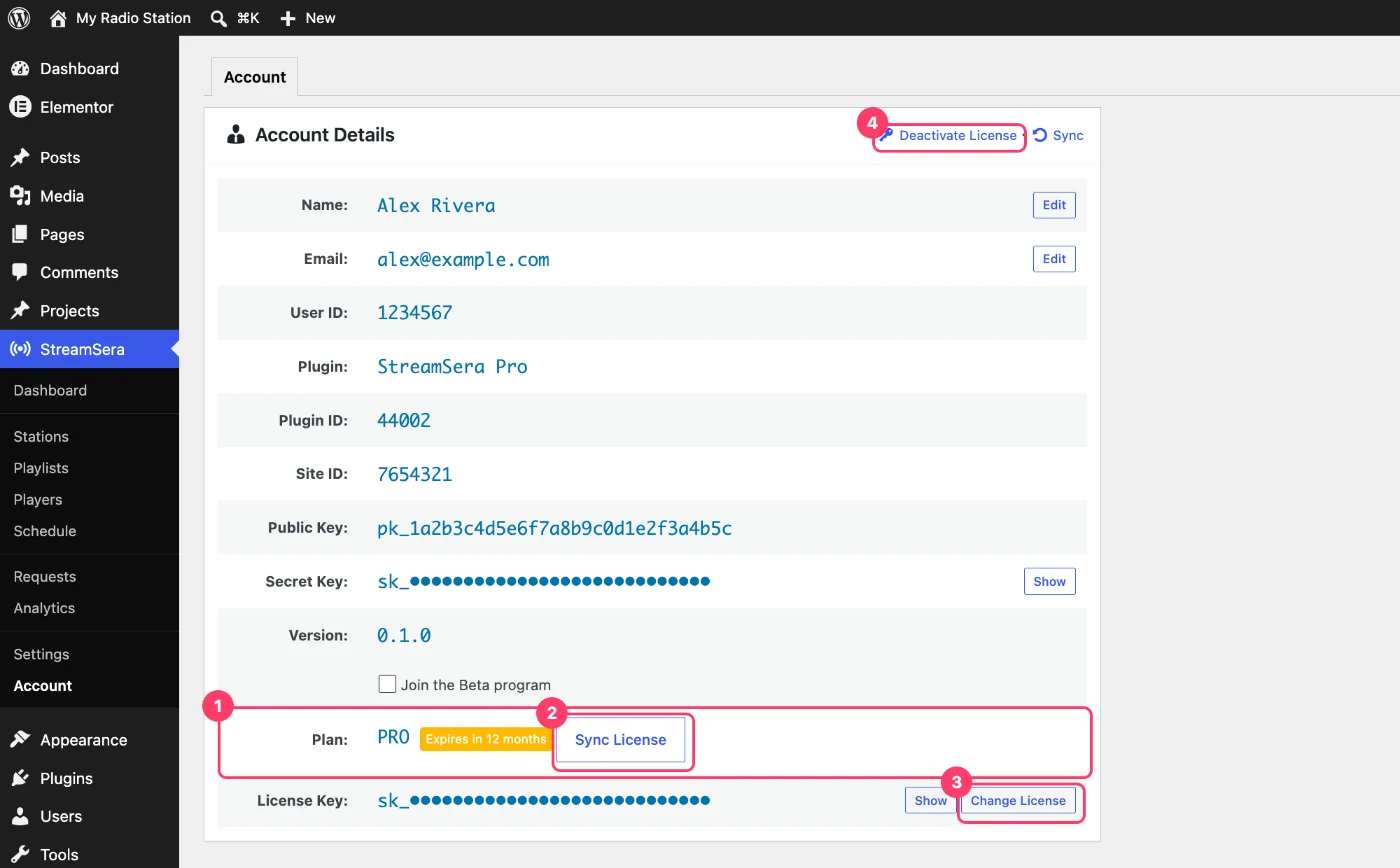
- Plan (1) shows your plan and when the license expires.
- Sync License (2) refreshes your license details, for example after you renew or upgrade.
- Change License (3) lets you enter a different license key on this site.
- Deactivate License (4) frees this site’s activation so you can use the license somewhere else.
Move your license to another site#
- On the old site, go to StreamSera → Account and click Deactivate License. Confirm.
- On the new site, install StreamSera and StreamSera Pro and activate the same license key. See How to Upgrade to StreamSera Pro.
Tip: Local development sites (such as localhost) do not use up your site activations, so you can build on a local copy freely.
Download StreamSera Pro, invoices and license keys#
Log in to the Freemius customer portal with the email you used to buy. There you can:
- Download the latest StreamSera Pro zip.
- See your license keys and the sites they are active on.
- Download invoices and update your billing details.
- Renew, upgrade or cancel your subscription.
Renewals#
Yearly plans renew automatically every year, so you keep getting updates and support without interruption. You get an email before each renewal. Lifetime plans never need renewing.
If a yearly license expires, the Pro features stop working until you renew. The free features keep working and your settings are kept.
Upgrade to a bigger plan#
Need Pro on more websites? Upgrade from the customer portal, or buy the bigger plan and enter your current license key at checkout (Renewing or upgrading? Enter license key). Then click Sync License on your Account page.
Refunds#
Every purchase has a 7-day money-back guarantee. To ask for a refund, contact our support team within 7 days of your purchase.
Hide license details on a client site#
Building a site for a client? On the Account page, click the link in the notice Is this your client’s site? to hide your email, license key, prices and invoices from the WordPress admin.