On this page
StreamSera is built to be extended. This guide covers the command line, the REST API, PHP hooks, the JavaScript API and, in Pro, webhooks and incoming push.
WP-CLI#
| Command | What it does |
|---|---|
wp streamsera station list | List stations (--format=table|json|csv|yaml) |
wp streamsera station get 5 --format=json | Show one station |
wp streamsera station import-csv stations.csv | Import stations from CSV (title, stream_url; optional slogan, website, genre, logo). --status=draft imports as drafts |
wp streamsera player list | List players |
wp streamsera health check | Check that every published station’s stream answers |
wp streamsera cache clear | Clear now-playing caches (--recent also clears add-on history) |
wp streamsera export [file] | Export settings, stations and players as JSON (--include-secrets, --force) |
wp streamsera settings get [key] | Read settings |
wp streamsera settings set <key> <value> | Write a setting (JSON values are decoded) |
REST API#
The streamsera/v1 namespace. Public routes:
| Route | Description |
|---|---|
GET /wp-json/streamsera/v1/now-playing/{station} | Now playing as JSON: title, artist, artwork, listeners, live and more |
GET /wp-json/streamsera/v1/now-playing/{station}/text | Now playing as plain text (?format={artist} - {title}) |
GET /wp-json/streamsera/v1/players/{id}/public | A player’s public configuration |
Admin routes (settings, stream tests, export, status) require a logged-in user with StreamSera access and a REST nonce.
Other public URLs: /?streamsera_overlay={station} (OBS overlay) and /?streamsera_playlist={station}&format=m3u|pls.
PHP filters#
A selection of the most useful filters:
| Filter | Use it to |
|---|---|
streamsera_player_config | Change a player’s configuration before it is rendered |
streamsera_now_playing | Change now-playing data before it is returned |
streamsera_metadata_provider_definitions | Register your own now-playing source |
streamsera_style_presets | Add skins |
streamsera_live_badge_text | Change the LIVE badge text |
streamsera_listen_template, streamsera_station_template | Use your own templates for the listen page and station pages |
streamsera_block_patterns | Add or remove block patterns |
streamsera_required_cap | Change the capability needed to manage StreamSera |
streamsera_http_timeout | Change the timeout for stream server requests |
streamsera_show_branding | Show or hide the credit link |
add_filter( 'streamsera_live_badge_text', function () {
	return 'ON AIR';
} );
PHP actions#
| Action | Fires when |
|---|---|
streamsera_loaded | StreamSera has loaded |
streamsera_track_changed | A station’s song changes |
streamsera_after_poll | Now playing has been refreshed |
streamsera_after_import | An import has finished |
streamsera_clear_caches | Caches are cleared |
streamsera_request_received [Pro] | A song request arrives |
streamsera_pro_show_start, streamsera_pro_show_end [Pro] | A show starts or ends |
streamsera_pro_station_down, streamsera_pro_station_recovered [Pro] | A stream goes down or comes back |
add_action( 'streamsera_track_changed', function ( $station_id, $payload ) {
	// $payload has title, artist, artwork, listeners and more.
}, 10, 2 );
JavaScript API#
The player exposes window.StreamSera and fires a streamsera:ready event when it is available.
StreamSera.mount()mounts players added to the page later (for example by AJAX).StreamSera.registerLayout()andStreamSera.registerExtension()add your own layouts and player extensions.StreamSera.registerSourceType()adds an audio source type.StreamSera.iconsoverrides the icon set (play, pause, stop, volume, mute, share).
window.addEventListener( 'streamsera:ready', function () {
	window.StreamSera.mount();
} );
With Pro analytics, every player event is also dispatched on document as a streamsera:analytics CustomEvent.
Outgoing webhooks [Pro]#
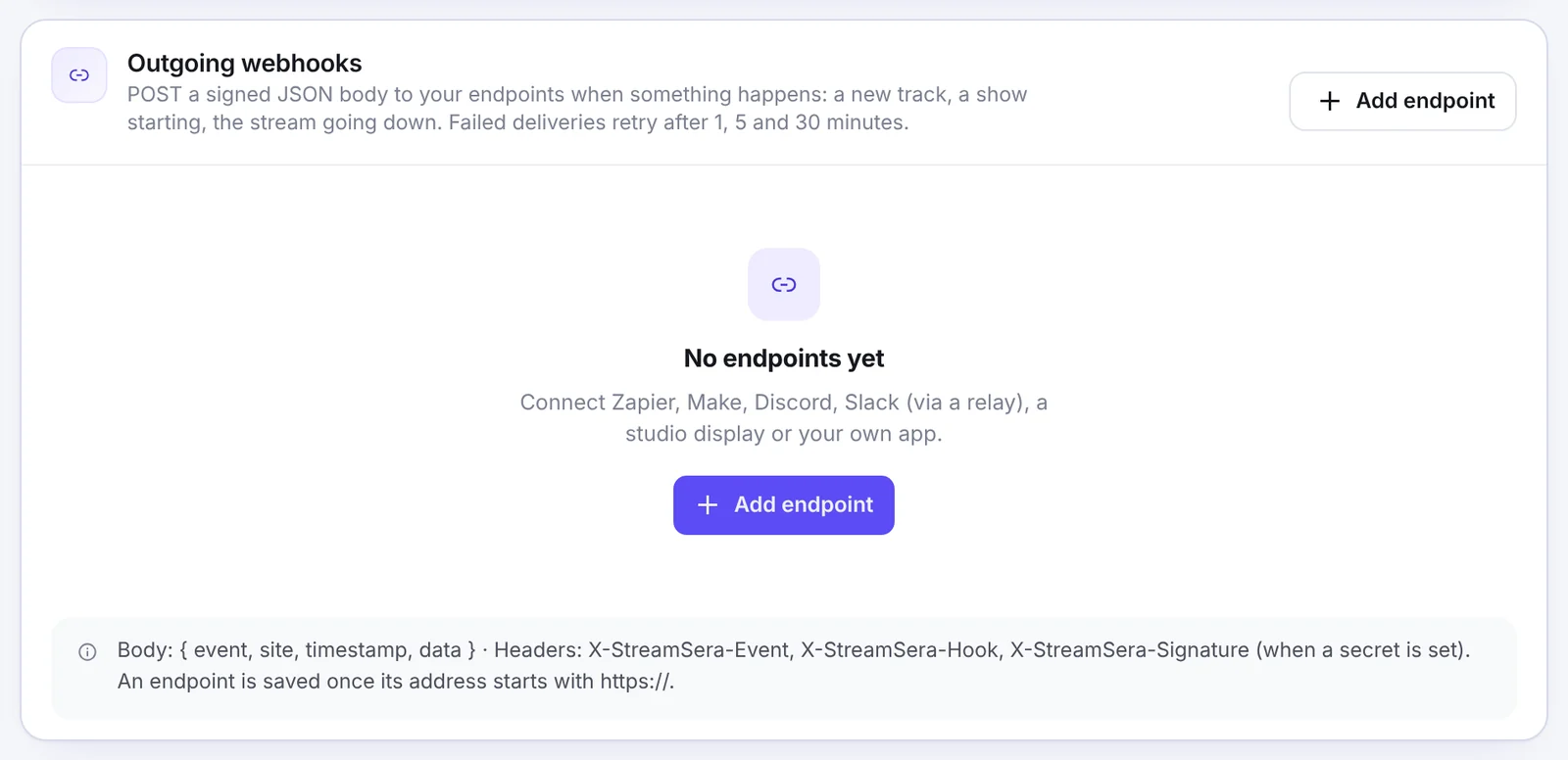
Under Settings → Integrations → Outgoing webhooks, click Add endpoint, enter an https:// URL and an optional secret, and choose the events: Track changed, Show started, Show ended, Stream went down, Stream recovered and Song request received. Send test event sends a sample.
- Body:
{ event, site, timestamp, data }. - Headers:
X-StreamSera-Event,X-StreamSera-Hookand, with a secret,X-StreamSera-Signature: sha256=HMAC(body, secret). - Failed deliveries are retried after 1, 5 and 30 minutes.
Incoming push [Pro]#
Send now playing from your automation software instead of polling:
curl -X POST "https://your-site.com/wp-json/streamsera-pro/v1/push/STATION_ID?key=YOUR-KEY" \
  -H "Content-Type: application/json" \
  -d '{"artist":"Artist","title":"Track title","listeners":42}'
Fields: title, artist (or raw), artwork, listeners, dj, next (title, artist) and live. The key can also be sent as an X-StreamSera-Key header.
Source code#
The free plugin ships its full source in assets/src/ with the build configuration. Run npm ci and npm run build (Node.js 20.19 or newer) to rebuild.