On this page
Listeners leave when the music stops. StreamSera has several ways to keep your stream playing and to tell you when something is wrong.
Built in (free)#
- Automatic reconnect: when the connection drops, the player reconnects on its own, waiting a little longer between tries.
- Backup streams: add more stream addresses to a station. If the main one drops, players switch to the next. See How to Add Your Radio Station.
- Off-air fallback: in the player’s Station settings, choose what listeners get when no stream answers: a looping standby track or a message.
- Stream checks: the Check button on each stream, and the Needs attention filter on the dashboard and stations list.
- Notices: the bell in the StreamSera header warns you, for example, about a stream that won’t play on a secure site.
HTTPS streams and “mixed content”#
If your site uses https:// and your stream uses http://, browsers block the stream and the player shows Can’t play this stream. To fix it:
- Ask your host for the HTTPS address of your stream (often port 443 or a
/streampath on the same host) and use it instead. - Or, with Pro, turn on the mixed-content proxy (below).
Pro: mixed-content proxy#

Go to Settings → Streams & now playing → Mixed-content proxy and switch it on. StreamSera relays http:// streams through your server so they play on your https:// site. This uses your server’s bandwidth, so use it only when your host cannot give you an HTTPS stream.
Pro: stream health checks and email alerts#
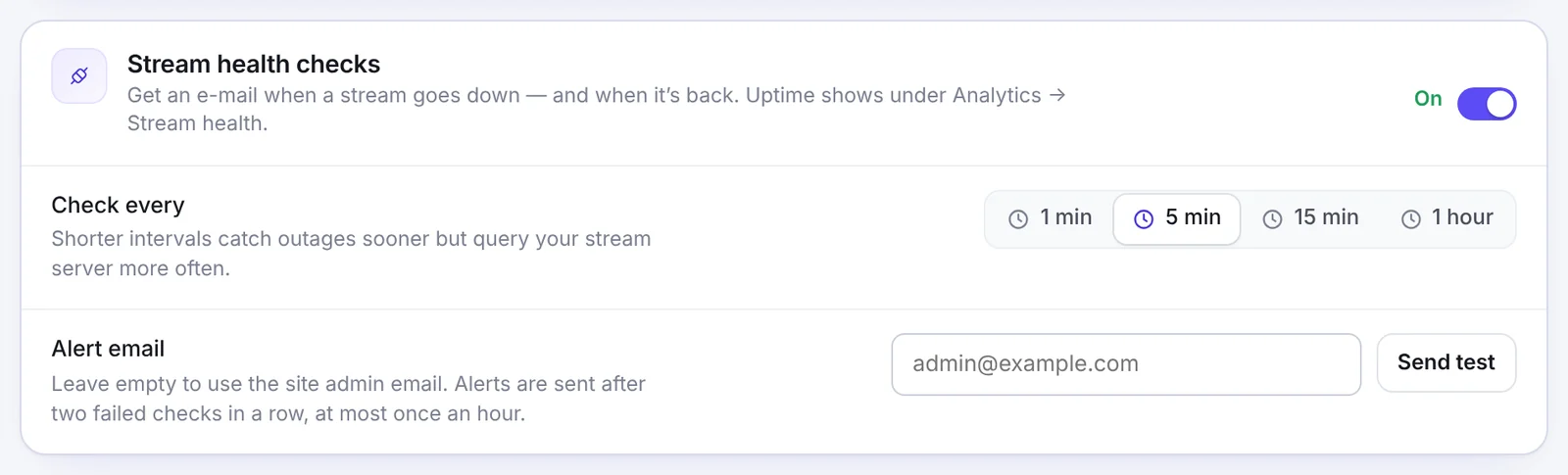
- Check every: 1, 5 or 15 minutes, or 1 hour. Shorter intervals catch outages sooner but ask your stream server more often.
- Alert email: where alerts go (the site admin email if empty). Alerts are sent after two failed checks in a row, at most once an hour, and again when the stream is back.
- Click Send test to check that emails arrive.
See uptime, playback errors and recent outages under StreamSera → Analytics → Stream health.
Pro: audio tools#
In a player’s Behavior settings:
- Equalizer: six bands with presets.
- Loudness normalization: evens out quiet and loud passages.
- Crossfade: fade between stations when listeners switch.
Equalizer and loudness need a stream server that allows cross-origin audio (CORS). If it does not, these tools are hidden automatically.
Pro: real-time now playing#
Push changes to listeners (Settings → Streams & now playing) sends new song info to players the moment it changes, and falls back to normal updates automatically.