On this page
This is a StreamSera Pro feature. Try Pro free for 3 days or see the plans.
Playlists let listeners play on-demand audio right next to your live stream: replays of past shows, mixes, jingles or podcast episodes.
Create a playlist#
- Go to StreamSera → Playlists and click New playlist.
- Give it a name, for example “Sunday replays”.
- Choose how it gets its audio, then click Create playlist.
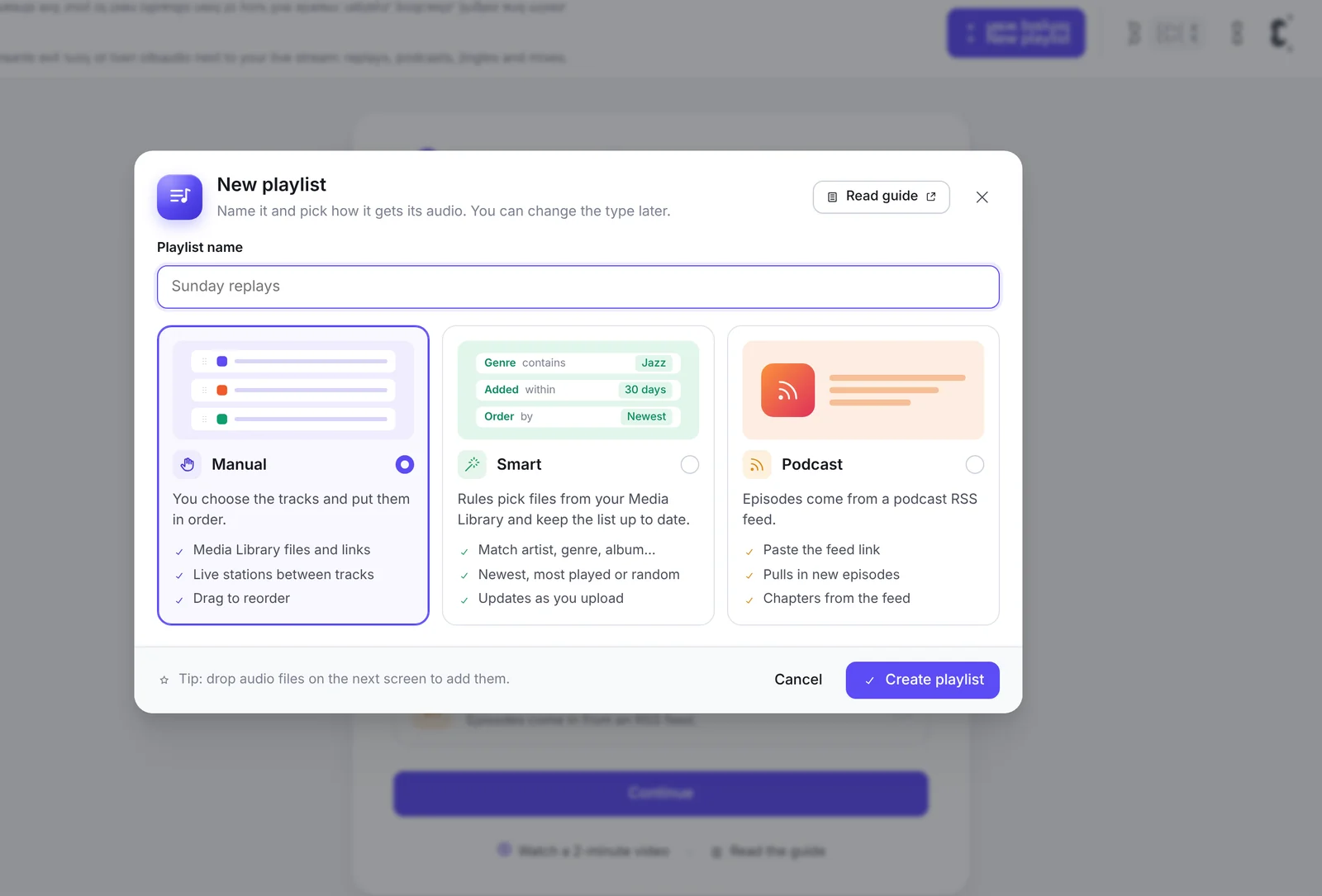
| Type | How it works |
|---|---|
| Manual | You pick the tracks and put them in order. Use Media Library files, add live stations between tracks and drag to reorder. |
| Smart | Rules pick files from your Media Library and keep the list up to date: match artist, genre or album; newest, most played or random order. New uploads are added automatically. |
| Podcast | Paste a podcast RSS feed link. New episodes come in automatically, with chapters from the feed. |
You can change the type later. Tip: on the next screen you can drop audio files straight in to upload them.
SoundCloud and other external sources can be added to playlists too.
Play a playlist in a player#
- Open a player in StreamSera → Players.
- Click Playlist in the builder and choose your playlist. A player can have several playlists.
- Under Parts, make sure Playlist is switched on so listeners see the track list.
In Behavior → On-demand audio you can:
- Remember position: long files resume where the listener stopped, in the same browser.
- Skip buttons: jump back and forward 10, 15, 30 or 60 seconds, handy for talks and episodes.
Listener tools such as playback speed and a sleep timer are also available under Behavior → Listener audio tools.
Play a playlist during a show#
In the schedule, set a slot to Plays a playlist to air replays or pre-recorded episodes at set times. Players with Follow the schedule switch to it automatically. See How to Create a Radio Show Schedule.
Protected files#
For playlist audio, players get signed, expiring links instead of the file address, so the address is harder to copy. The file itself stays reachable at its Media Library address unless your server blocks direct access to the uploads folder.
Chapters and lyrics#
Long recordings can have chapters so listeners jump to a part, and tracks can show lyrics. Podcast chapters come from the feed.