
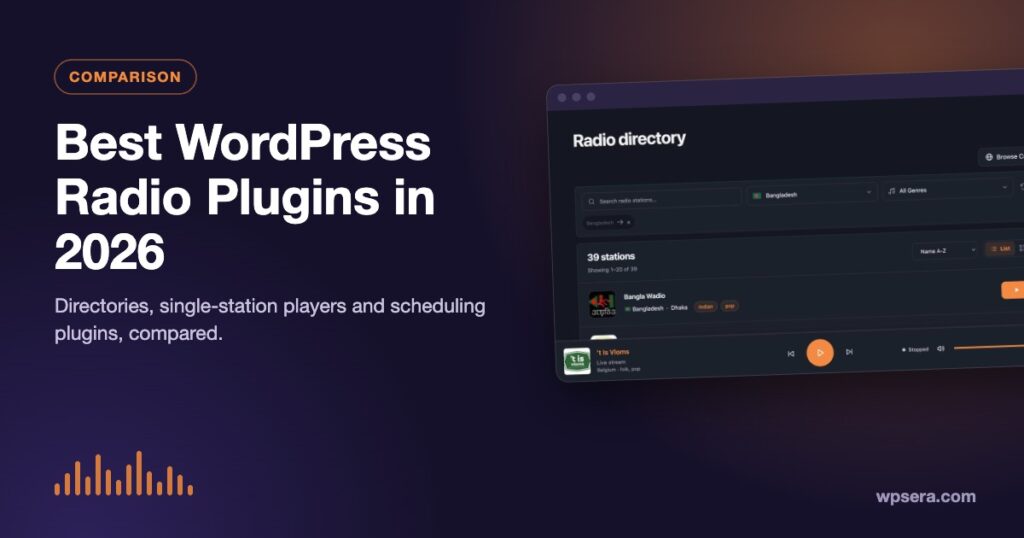
Searching for a WordPress radio plugin turns up a confusing mix: some plugins play one station, some schedule shows for broadcasters, and a few build whole directories of stations. Picking the wrong type wastes hours. This guide compares the best WordPress radio plugins available on WordPress.org at the time of writing (October 2026), grouped by what they’re actually for.
Full disclosure: we make TuneSera. We’ve tried to describe every plugin fairly, based on its WordPress.org listing. Features change, so check each plugin’s page before you decide.
First, decide what kind of plugin you need
| You want to… | You need a… |
|---|---|
| Build a site where visitors browse many stations by country, genre or language | Radio directory plugin |
| Add a play button for one station (yours) | Single-station player |
| Publish a show schedule, DJs and playlists for your station | Station scheduling plugin |
| Run the streaming server itself | Streaming service integration |
Radio directory plugins
TuneSera Internet Radio Directory
TuneSera (by WPSera) turns a WordPress site into a searchable radio directory. Stations are a regular WordPress post type with their own pages, organized into country, division, city, genre and language archives. A sticky player keeps playing as visitors browse.
- Stations: 1,186 bundled stations from 30 countries in the free plugin; the Pro global catalog has 70,000+ stations in 230 countries. Plus CSV import and manual entry.
- SEO: station pages with RadioStation structured data, indexable archives, noindex on filtered views, and Yoast SEO integration.
- Pro: local discovery, featured and popular stations, listening analytics stored on your site, player styles, popup player, sleep timer and design controls.
- Best for: directory and portal sites that want stations as real, rankable pages on their own site.

Radio Browser Stations
Radio Browser Stations (by Link Nacional) pulls stations from the open Radio-Browser.info database. Visitors can filter by country, genre and language, search, and sort by popularity, name or bitrate, with an HTML5 player that shows now-playing info, favorites and recents saved in the browser.
- Approach: stations are fetched from an external database rather than stored as pages on your site.
- Pricing: free.
- Best for: quickly adding a large, browsable station list to a page.
How they differ: Radio Browser Stations displays an external database on a page. TuneSera imports stations into WordPress so each one gets its own page, archive and structured data that you control and can edit, which matters if you want search traffic.
Note: the once-popular WP Radio directory plugin is no longer available on WordPress.org.
Station scheduling plugins
Radio Station by netmix
Radio Station is built for broadcasters. It manages shows with weekly shifts, a schedule conflict checker and overrides, and displays schedules as tables, tabs or lists, plus a stream player, current and upcoming show widgets, playlists and host roles. A paid PRO version adds features such as a visual schedule editor and a sitewide player bar.
- Best for: stations that need to publish a program schedule.
Jock On Air Now (JOAN)
JOAN focuses on showing who’s on air now and your schedule, with shortcodes, visitor timezone detection and dark mode. A premium version adds more layouts and tools.
- Best for: stations that mainly need an “on air now” display and a simple schedule.
Single-station players
Shoutcast Icecast HTML5 Radio Player
This player adds an HTML5 player for one stream via a shortcode, with custom artwork, volume control and social links. A Pro tier adds now-playing song info and skins.
Heimatradio Footer Radio Player
Heimatradio Footer Player puts a single station in your site footer and can switch between desktop and mobile streams.
- Best for: a site that needs one station’s player and nothing more.
Streaming service integrations
WPRadio connects WordPress to the Caster.fm streaming service so stations hosted there can control their stream, see listener stats and manage recordings. Check its listing for compatibility with recent WordPress versions.
Comparison at a glance
| Plugin | Type | Many stations | Station pages on your site | Show schedules | Paid tier |
|---|---|---|---|---|---|
| TuneSera | Directory | ✓ | ✓ | — | ✓ (Pro) |
| Radio Browser Stations | Directory | ✓ | — | — | — |
| Radio Station | Scheduling | — | — | ✓ | ✓ |
| JOAN | Scheduling | — | — | ✓ | ✓ |
| Shoutcast Icecast HTML5 Radio Player | Single player | — | — | — | ✓ |
| Heimatradio Footer Player | Single player | — | — | — | — |
Which should you choose?
- Building a radio directory or portal? Choose a directory plugin. If search traffic and control over your data matter, TuneSera’s station pages and archives are built for that.
- Running a station and need a schedule? Radio Station or JOAN. You can still list your station with TuneSera if you also want a directory.
- Just need one play button? A single-station player is enough, or see our guide to adding a live radio player.
Not sure what to build yet? Browse 7 types of radio websites.
Frequently asked questions
Can I use more than one radio plugin together?
Often yes, if they do different jobs, such as a scheduling plugin for your shows and a directory for partner stations. Avoid running two players that both appear on every page.
Do radio plugins host the audio?
Directory and player plugins usually play each station’s own stream. Streaming services like Caster.fm are what actually host a station’s stream.



Join the conversation