
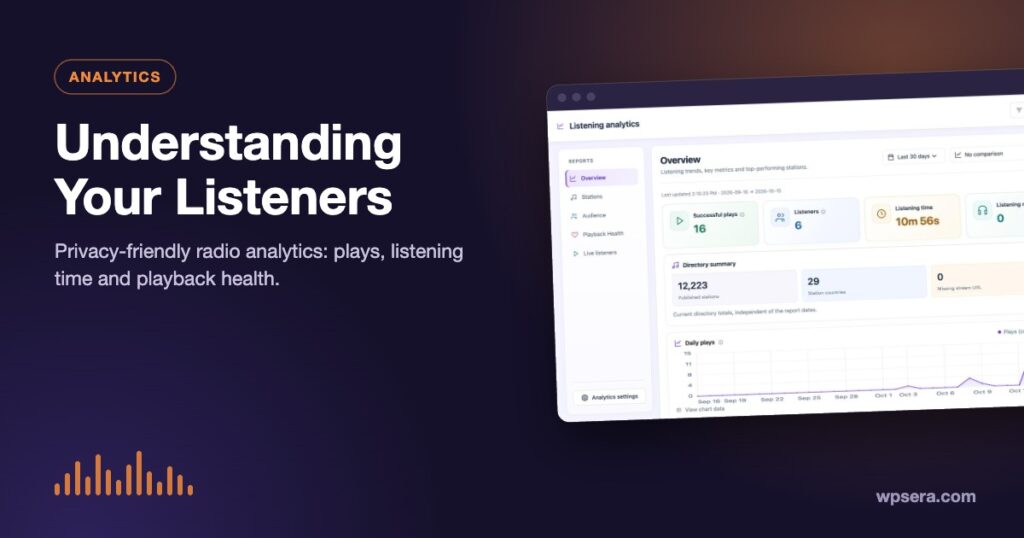
Page views tell you who visited. They don’t tell you who listened. For a radio site, the questions that matter are different: Which stations do people actually play? How long do they stay? Which streams keep failing? TuneSera Pro’s radio analytics answers those questions, and keeps the data on your own site.
Why general web analytics falls short for radio
Tools built for page views count visits to a station page, but a visit isn’t a listen. Someone might open a page, press play and listen for two hours, or the stream might fail and they leave in five seconds. Both look like one page view. Listening analytics measures what happens in the player itself.
What TuneSera measures
| Metric | What it means |
|---|---|
| Successful plays | A play counts only once audio actually starts |
| Listeners | Unique listeners (by default, each browser session counts as one) |
| Listening time | Time spent actually playing; pauses, errors and buffering don’t count |
| Listening now | People playing a station in the last 90 seconds |
| Playback health | How often streams start successfully, and the errors that occur |
These are first-party measurements from your site, not official broadcast ratings. Ad blockers, closed tabs and offline devices can cause small gaps, so treat them as strong trends rather than exact census numbers.
The five reports
Overview
Listening trends, key metrics and your top stations, with a daily plays chart. Compare with the previous period to see what changed.

Stations
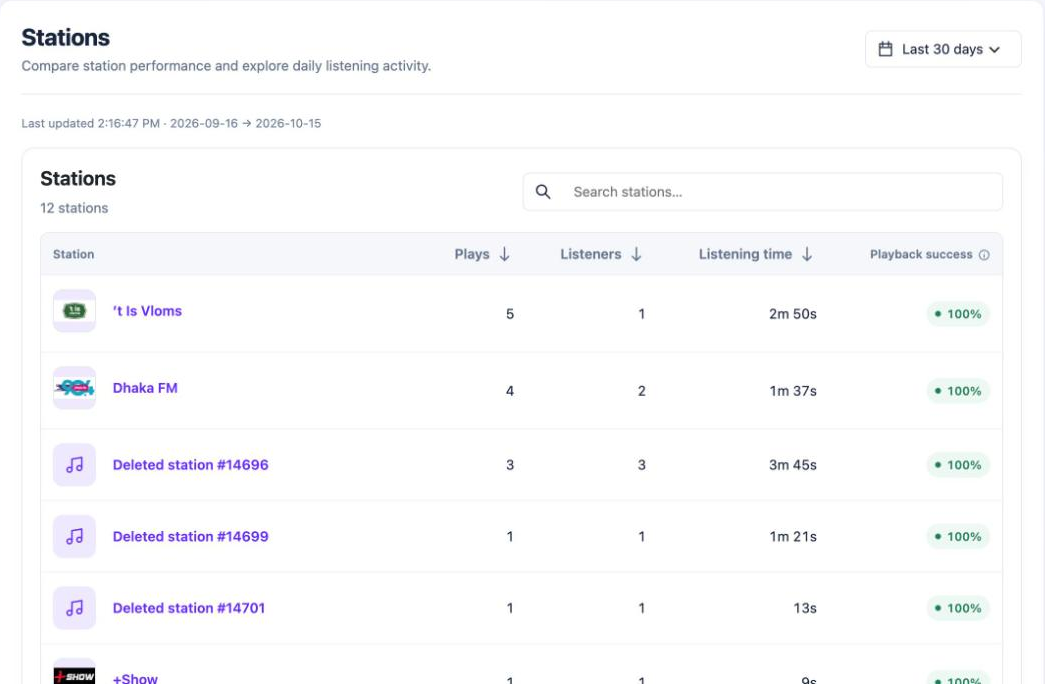
Every station with its plays, listeners, listening time and playback success. Sort by any column, search, and click a station to see its daily activity.
Audience
Where listeners come from and what they listen to: countries, devices, browsers, operating systems, and popular genres and languages. Listener country appears when your site runs behind Cloudflare or CloudFront, which pass the visitor’s country to WordPress. TuneSera never sends visitor IP addresses to a lookup service for analytics.
Playback Health
The overall playback success rate, errors and connection attempts, plus a Stations to check list with an Edit station button to fix their stream URLs.

Live listeners
How many people are listening right now, to which stations, and from which countries. It refreshes every 30 seconds.
Turning data into decisions
- Fix broken streams first. Check Playback Health every few weeks; stations change stream addresses, and every failed play is a lost listener.
- Feature what people love. Use the Stations report to choose featured stations, or let the Popular stations shortcode rank them automatically from the last 30 days.
- Write for your real audience. If listeners come mostly from one country or prefer one genre, build archive intros and blog posts around it. See radio directory SEO.
- Watch trends, not single days. Compare periods to see whether changes you made helped.
Privacy by design
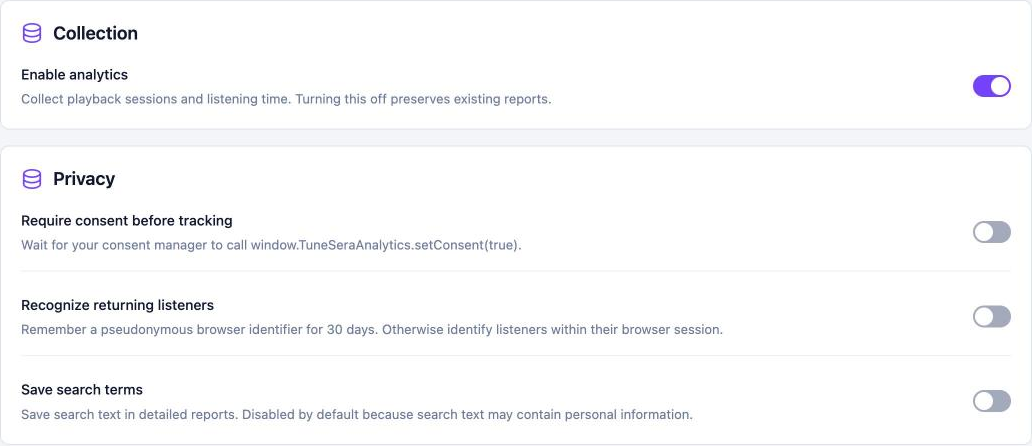
TuneSera analytics is built to be privacy-friendly by default:
- All data is stored in your own WordPress database. Nothing is sent to WPSera or any third party.
- No visitor names or email addresses, and no raw IP addresses.
- Only the website name of a referrer is kept, never the full address.
- Optional consent mode: with Require consent before tracking on, nothing is collected until your consent tool calls
window.TuneSeraAnalytics?.setConsent(true). - Data retention settings remove older data automatically.
- Support for WordPress’s personal data export and erase tools, plus suggested privacy policy wording.
This isn’t legal advice: check what your local privacy laws require, and describe your setup in your privacy policy.
Reports in your inbox
Turn on scheduled email reports in Settings → Analytics → Email reports to receive listening trends, top stations and playback health daily or weekly, without logging in.
Get started
Listening analytics is part of TuneSera Pro. It’s on by default once Pro is active and starts collecting from that moment.
Frequently asked questions
Does TuneSera analytics replace Google Analytics?
No, it complements it. Keep your usual web analytics for traffic, and use TuneSera for what happens in the player.
Can I export my data?
Yes. You can export station, daily, country, device and source data as CSV files, or clear analytics data and start fresh.


Join the conversation