
A radio directory can have thousands of pages: one for every station, country, city and genre. That’s a huge opportunity in search, and a huge risk if those pages are thin, duplicated or badly structured. This guide covers radio directory SEO: how TuneSera handles the technical foundations, and what you can do to help your station pages rank.
Why radio directories can rank well
People search for radio in very specific ways: “radio stations in Dhaka”, “jazz radio online”, “BBC Radio 1 live”, “Brazilian gospel radio”. A directory naturally has a page that matches each of these: a city archive, a genre archive, a station page. Your job is to make those pages genuinely useful and easy for search engines to understand.
What TuneSera handles for you
RadioStation structured data
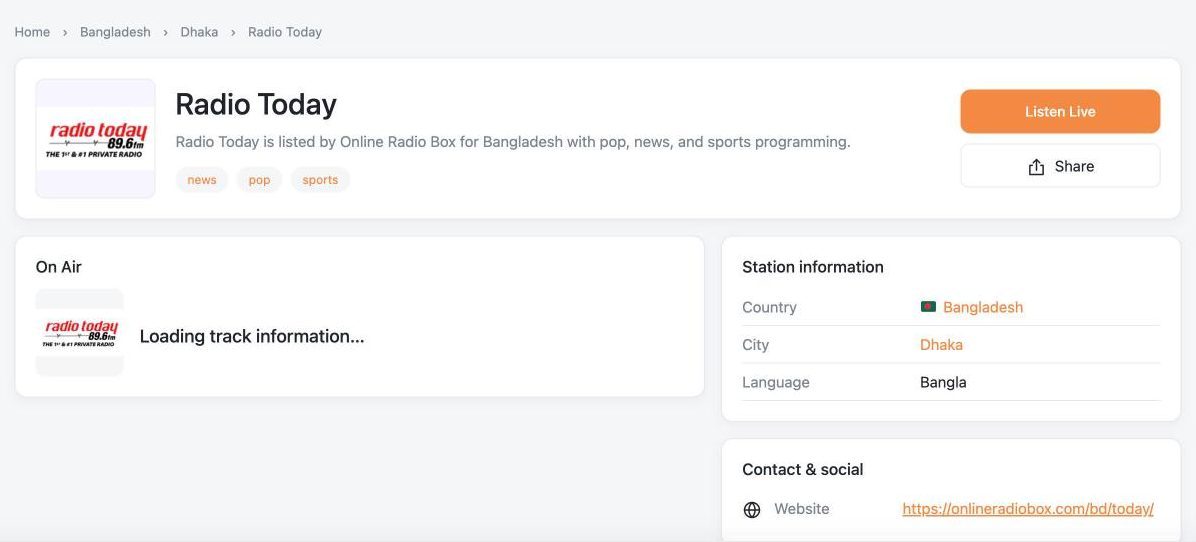
Every station page includes RadioStation structured data from schema.org, with the station’s name, page address, logo, location (as a PostalAddress with country and city) and links to its website and social profiles where available. This helps search engines understand exactly what each page is about.
Smart indexing rules
Filters create endless URL combinations, and you don’t want search engines crawling thousands of near-duplicate views. TuneSera marks filtered and sorted directory views (search, country, city, genre, language, sort and view parameters) as noindex, while station pages, country and city archives, genre archives and the directory page itself stay indexable. Division archives are noindex, and TuneSera never overrides WordPress’s own “Discourage search engines” setting.
Yoast SEO integration
With Yoast SEO active, TuneSera provides titles, meta descriptions, Open Graph details and canonical links for station and archive pages, and keeps the directory page in the page sitemap.
Get your URL structure right before launch
TuneSera gives stations and archives clean, readable addresses such as /station/station-name/ and /country/bangladesh/. You can change the word used for each type of page, for example /radio/ instead of /station/, in TuneSera → Settings → URLs and Pages.
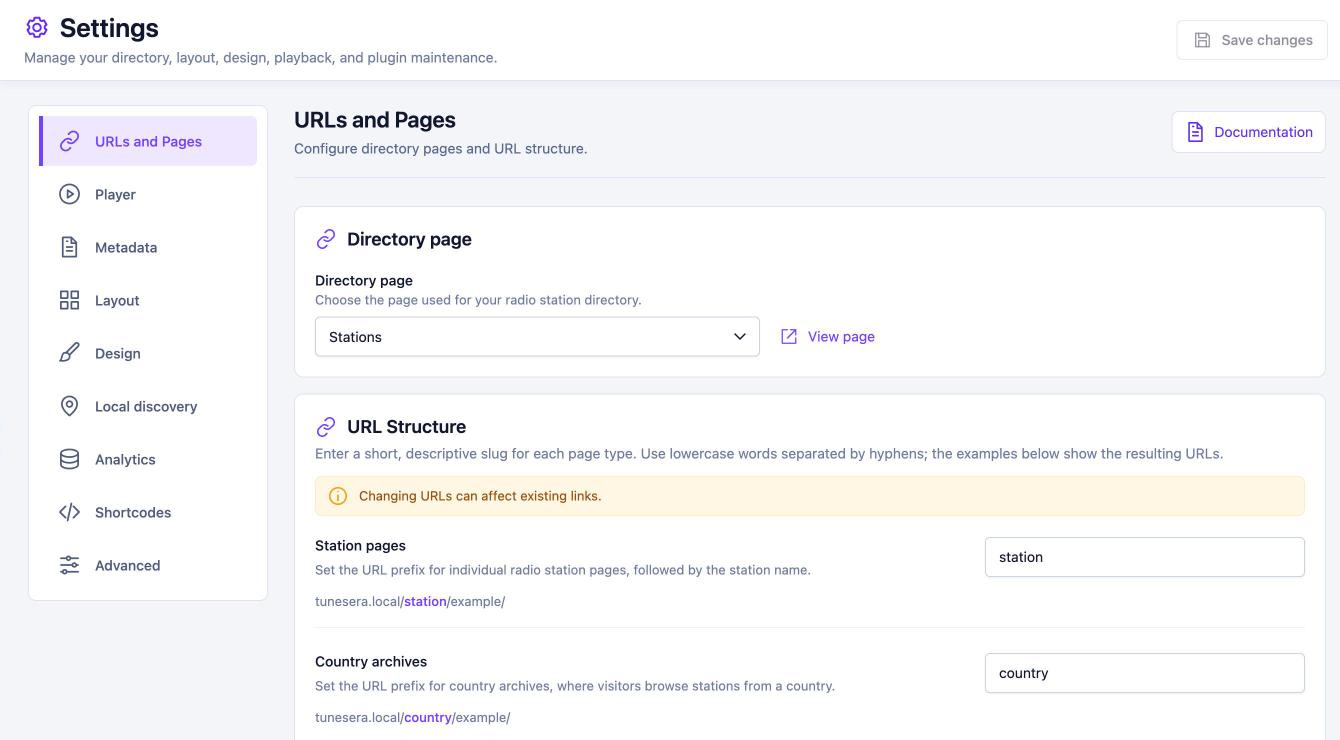
Choose short, lowercase, hyphenated slugs and stick with them. Changing a slug after launch changes every station or archive address, which breaks existing links and resets the rankings you’ve earned. If you must change one, set up redirects and update your internal links.
Make station pages worth ranking
Imported stations come with names, logos, genres and locations, but thousands of directories carry the same basic data. What makes your pages stand out is the extra value you add:
- Write unique descriptions for your most important stations: what they play, who they’re for, notable shows and history.
- Fill in the details: frequency, language, website, social links and contact information all make a page more complete.
- Keep streams working. A station page that doesn’t play is a poor result. With Pro, the Playback Health report lists stations with problems so you can fix their stream URLs.
- Use good logos. Square logos around 512 × 512 px look sharp in search results, social shares and your directory.
You don’t need to do this for every station. Start with the stations people search for most in your niche, and grow from there.
Turn archives into landing pages
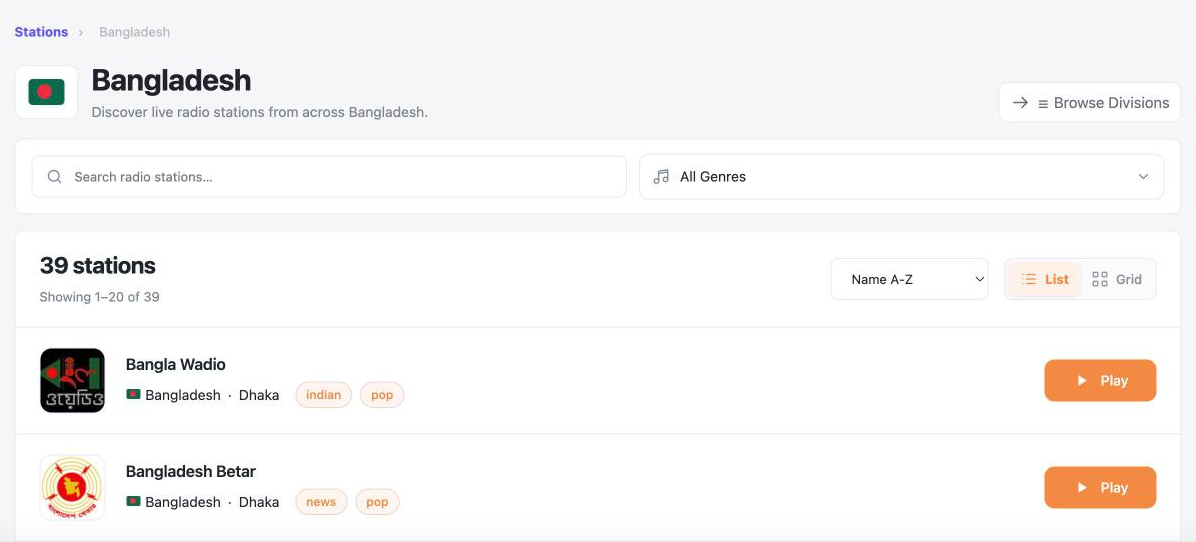
Country, city and genre archives are your best category pages. TuneSera lets each one show a breadcrumb, the country flag and a short description. Write a helpful intro for your key archives (what kind of radio the area is known for, the most popular stations) so the page is more than a list.
Build internal links
- Link your most popular country and genre pages from your main menu.
- Write blog posts around them, such as “The best news radio stations in Kenya”, and link to the archive and to individual stations.
- Use the
[tunesera_stations]shortcode to embed filtered station lists inside articles. - Station pages already link to related stations, genres and locations, spreading authority through the directory.
Keep your site fast
Speed is part of SEO. TuneSera caches directory queries, and you can clear TuneSera caches from its settings when you need fresh results. Pair it with a good page cache and CDN. With Pro, saving logos to your Media Library lets your CDN serve them too.
Your radio directory SEO checklist
- Final URL slugs chosen before launch
- Yoast SEO (or your SEO plugin) active, with station pages and archives in the sitemap
- Unique descriptions on your top stations and key archives
- Popular countries and genres linked from menus and posts
- Broken streams checked and fixed regularly
- Site submitted to Google Search Console and Bing Webmaster Tools
Building a new site? Start with our step-by-step guide, and see 7 types of radio websites for niche ideas that are easier to rank.
Frequently asked questions
Will thousands of imported stations count as duplicate content?
Station data is similar across directories, so imported pages alone rarely stand out. Adding unique descriptions and useful archive intros is what differentiates your pages. TuneSera already keeps filtered views out of the index.
Do I need Yoast SEO?
No, structured data and indexing rules work on their own. With Yoast active, TuneSera also provides titles, meta descriptions, Open Graph details and canonical links for its pages.


Join the conversation