
Some of the most useful radio sites focus on a single country: every station from Bangladesh, Kenya or Brazil, organized by region and city, in one place. They’re easier to make complete than a global directory, and they serve a clear audience, from local listeners to people living abroad. Here’s how to build a country radio website in WordPress with TuneSera.
Step 1: Plan your country site
- Who is it for? Local listeners, the diaspora, or both? This shapes your language, design and content.
- Which stations? FM stations that also stream online, internet-only stations, community and religious radio.
- How will you organize it? TuneSera’s location hierarchy goes from region to country to division (state or province) to city.
If you haven’t installed TuneSera yet, follow our step-by-step build guide first, then come back here.
Step 2: Import your country’s stations
Go to TuneSera → Import Stations, search for your country and tick it. The free plugin includes 1,186 stations from 30 countries. If your country isn’t in the bundled set, you have two options:
- TuneSera Pro unlocks the global catalog of 70,000+ stations in all 230 countries.
- Upload a CSV of stations you’ve collected yourself. Each row needs a station name, stream URL and two-letter country code (for example BD for Bangladesh).
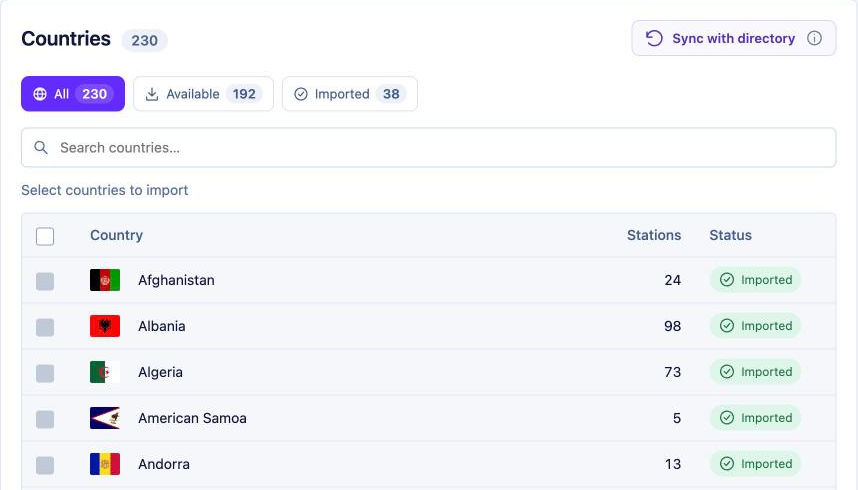
Imports create the country, its divisions and cities automatically from the station data.
Step 3: Organize divisions and cities
Open TuneSera → Locations to see your country’s location tree with station counts. Use the Location Explorer to check that cities sit under the right division, add missing cities, and copy the archive URL for any location.
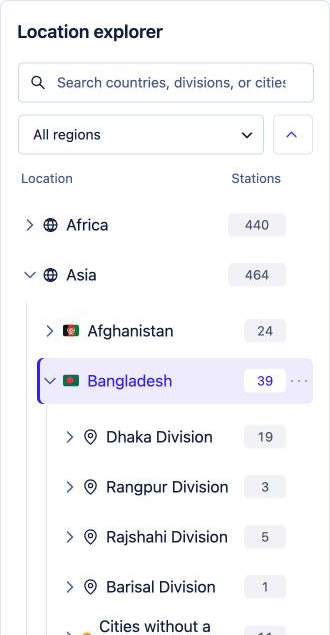
Stations without a division can still belong to a city, so you don’t need perfect data to start. Tidy up the biggest cities first.
Step 4: Hide what you don’t need
On a one-country site, a country filter is just clutter. Go to TuneSera → Settings → Layout → Search & filters and turn off Show country filter. Keep the genre and language filters, which are far more useful here. In Layout → Directory, consider turning on the division or city sidebar so visitors can jump straight to their area.
Step 5: Make your archive pages shine
Every division and city gets its own archive page with a breadcrumb, flag, description and station list. These are your local landing pages, the pages that answer searches like “radio stations in Chittagong”.
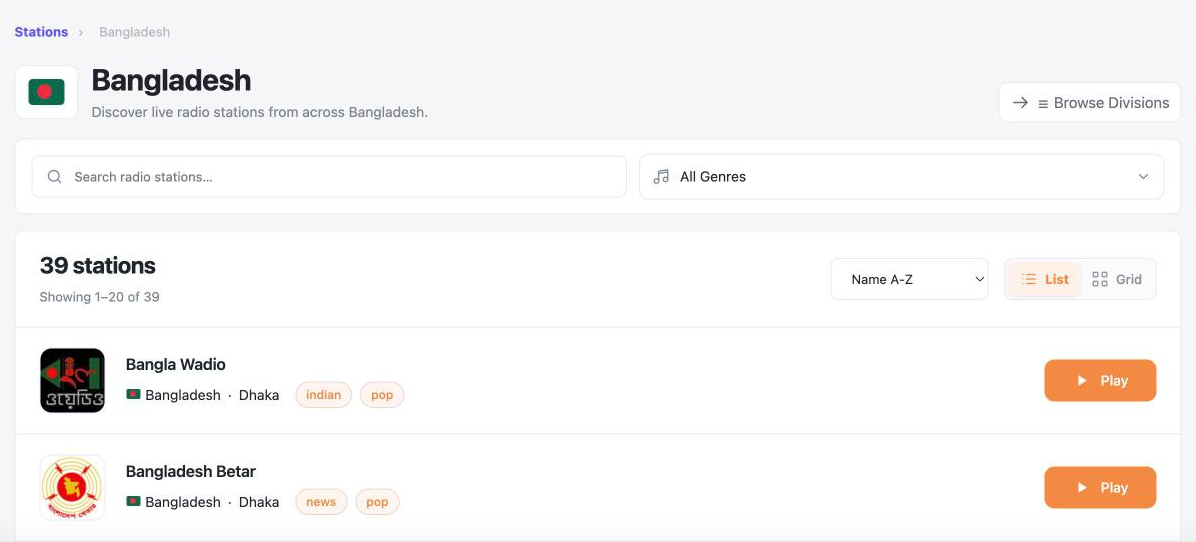
- Write a short, unique description for your main cities and divisions.
- Link to your biggest city pages from the menu or homepage.
- Use the
[tunesera_stations]shortcode for themed pages, such as news stations in the capital.
[tunesera_stations country="bangladesh" city="dhaka" genre="news" view="grid" columns="3" limit="12"]For more search tips, see SEO for radio directory websites.
Step 6: Serve the diaspora with local discovery (Pro)
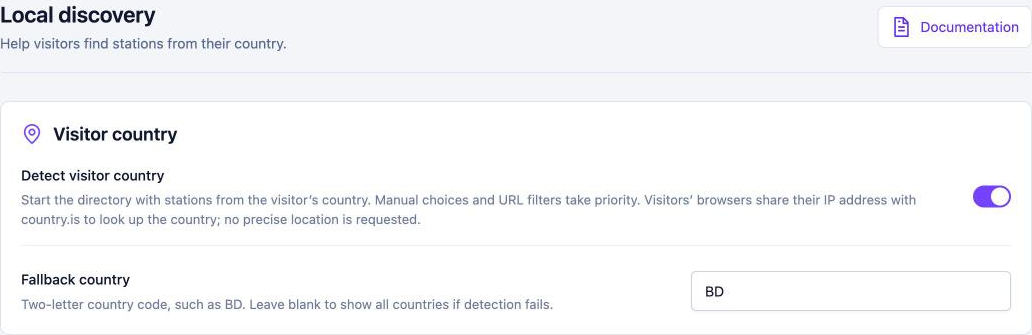
If your site also lists neighboring countries, TuneSera Pro‘s local discovery starts each visitor on stations from their own country. Set a fallback country (for example BD) so visitors whose location can’t be detected, including many abroad, land on your home country’s stations by default.
Pro’s [tunesera_locations] shortcode also makes it easy to build a “Browse by city” page:
[tunesera_locations type="city" country="bangladesh" division="dhaka-division" view="grid" columns="3"]Step 7: Grow your coverage
- Invite station owners to send you their stream details, and add them by hand with the stream tester.
- Re-import your country from time to time with Import missing stations to pick up new ones.
- Ask listeners which stations are missing. A complete directory is your biggest advantage.
Frequently asked questions
Is my country included in the free plugin?
The free plugin bundles 30 countries. Open TuneSera → Import Stations to see them. Pro covers all 230 countries in the global catalog.
Can I write the site in my own language?
Yes. TuneSera works with your WordPress site language, and your station descriptions and archive intros can be in any language.


Join the conversation