
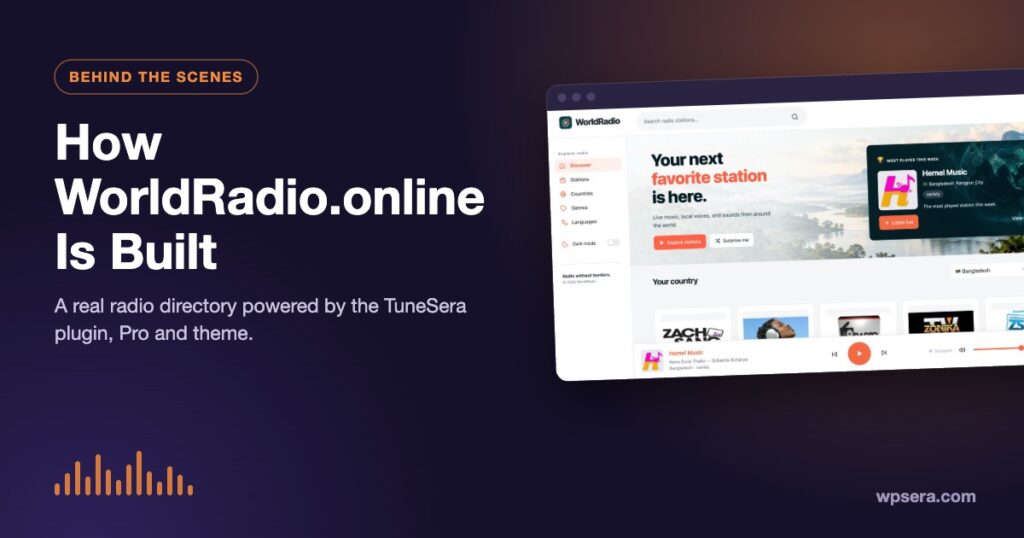
Every TuneSera feature has been shaped by a real, busy radio directory: WorldRadio.online. It runs on the TuneSera plugin, TuneSera Pro and the TuneSera theme, and it’s where we see first-hand what listeners use, what breaks and what matters. In this post we take you behind the scenes of how WorldRadio is built, and what it shows about building a radio directory of your own.
One site, three parts
- TuneSera (free plugin): stations, station pages, location and genre archives, the directory, search and filters, and the sticky player.
- TuneSera Pro: the global catalog, local discovery, popular stations, listening analytics and the richer player.
- TuneSera theme: the homepage sections, sidebar navigation and overall look.
WorldRadio is also home to the TuneSera station catalog. The stations and logos you import into your own site, whether the bundled set in the free plugin or the 70,000+ station catalog in Pro, come from the same data that powers WorldRadio.
A homepage built for listening
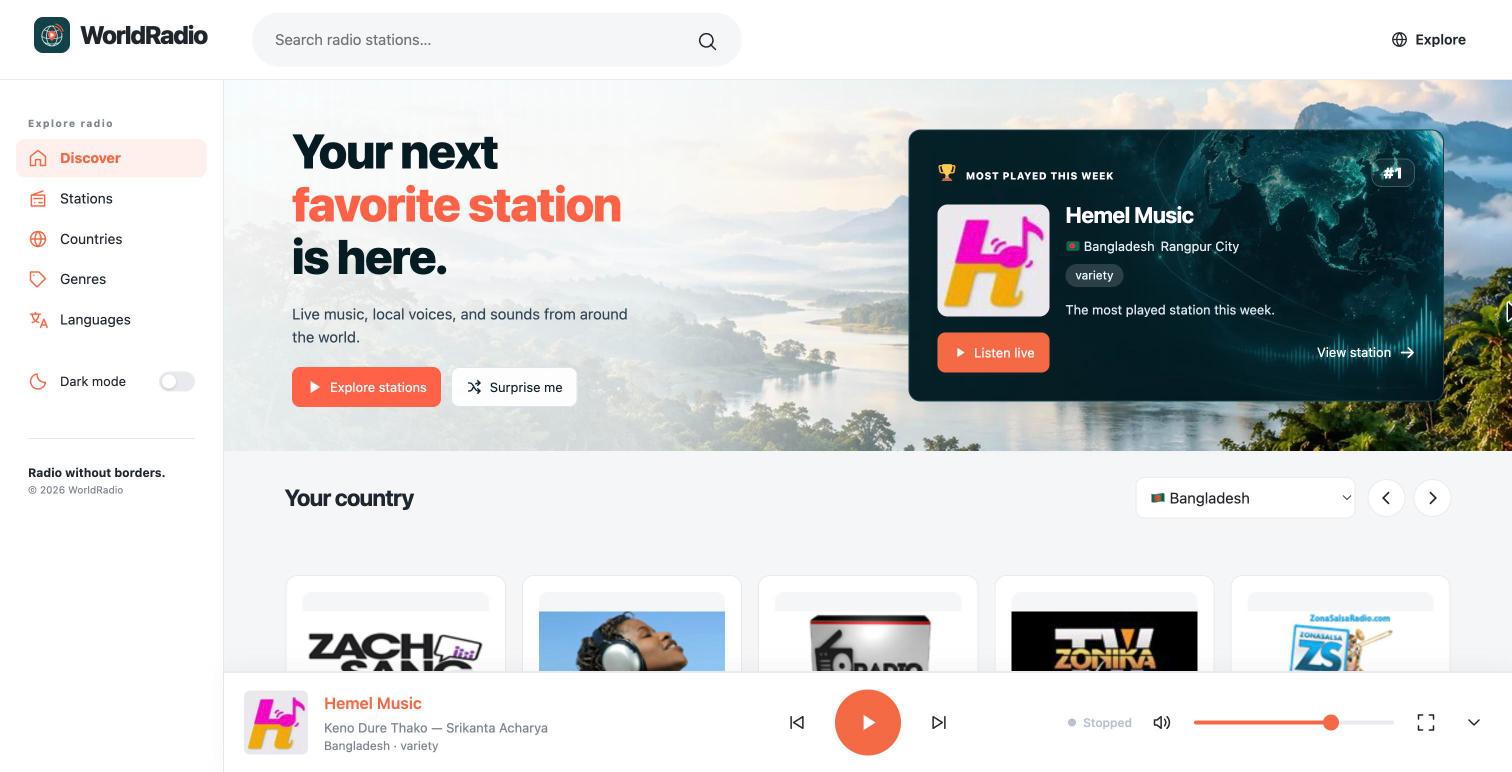
WorldRadio’s homepage is designed to get a visitor listening within seconds:
- A clear promise and two actions: “Explore stations” for people who know what they want, and “Surprise me” for those who don’t.
- A most-played spotlight that highlights the station listeners are playing most, with a one-click Listen live button.
- “Your country”, a row of stations from the visitor’s own country, with a selector to switch.
- Browse sections for countries and genres, and collections of stations from around the world.
Every one of these ideas maps to a TuneSera feature you can use: local discovery for “Your country”, popular stations for the spotlight, and shortcodes for themed collections.
Local first: why “Your country” matters
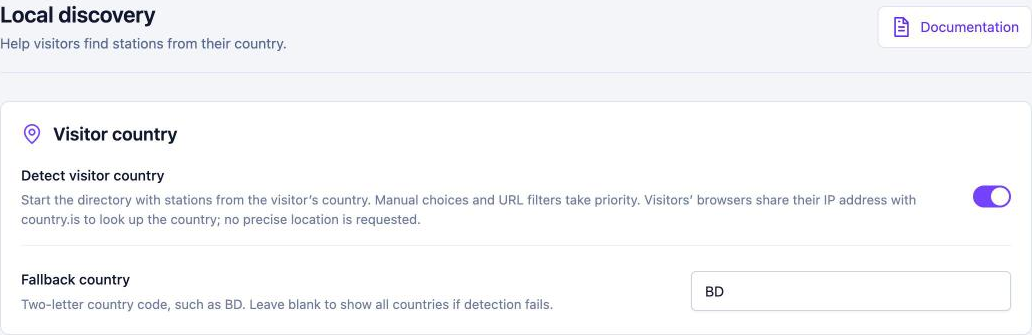
A global directory faces a problem: thousands of stations, and the visitor only cares about a few. Starting people on stations from their own country makes a huge site feel personal. That’s exactly what Pro’s local discovery does on any TuneSera site: it detects the visitor’s country, filters the directory to it, and always lets the visitor choose something else.
A player that never gets in the way
On WorldRadio, the sticky player sits at the bottom of every page and keeps playing as visitors browse countries, genres and station pages. It shows the station and, when the stream shares it, the current song. It never autoplays, remembers each listener’s volume and last station, and reconnects on its own if a stream drops. See How to Add a Live Radio Player to Your WordPress Site to set up the same player.

Stations as real pages
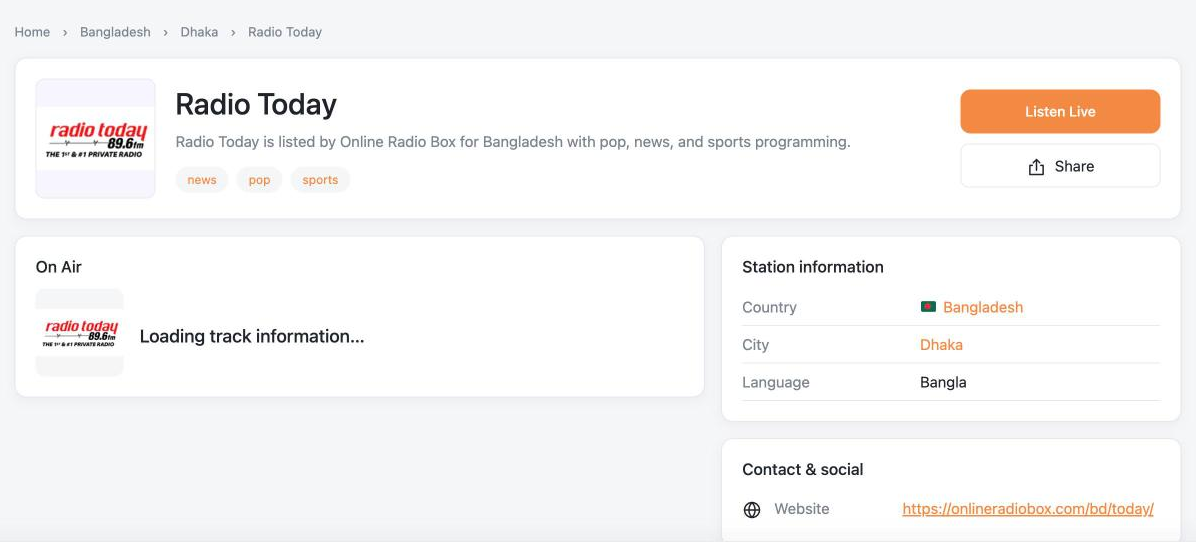
Every station on WorldRadio has its own page with logo, description, location, genres, broadcast details and links, plus RadioStation structured data for search engines. Country and city archives give each place its own landing page. Because stations are stored in WordPress rather than pulled from an outside service on every visit, the site stays fast and every page can be edited, improved and found in search.
Keeping thousands of streams healthy
Radio streams change. Stations move servers, change formats or go offline. At directory scale, keeping links working is an ongoing job, and it’s why TuneSera Pro includes a Playback Health report listing the stations that fail most, with a direct link to fix their stream URL. Read more in Understanding your listeners.

What WorldRadio shows about building your own directory
- Lead with listening. Put a play button or search box above the fold.
- Personalize early. Showing local stations first makes a big directory feel small and friendly.
- Let popularity guide visitors. A most-played spotlight helps undecided listeners.
- Treat stations as content. Station and archive pages are what bring search traffic.
- Maintain the data. Working streams are your best feature.
You don’t need a global directory to use these ideas. They work just as well for a single-country portal or a genre site. See 7 types of radio websites for inspiration.
Build your own
Everything WorldRadio does starts with the free TuneSera plugin. Add TuneSera Pro when you want the global catalog, local discovery and analytics.
Frequently asked questions
Can I build a site like WorldRadio with TuneSera?
Yes. The directory, station pages, archives and player come from the TuneSera plugin, with Pro features for local discovery, popular stations and the global catalog. The homepage design comes from the optional TuneSera theme, and you can create similar layouts with TuneSera shortcodes in any theme.
Do I need the TuneSera theme?
No. TuneSera works with any well-built WordPress theme. The theme is an optional companion designed around the plugin.


Join the conversation