
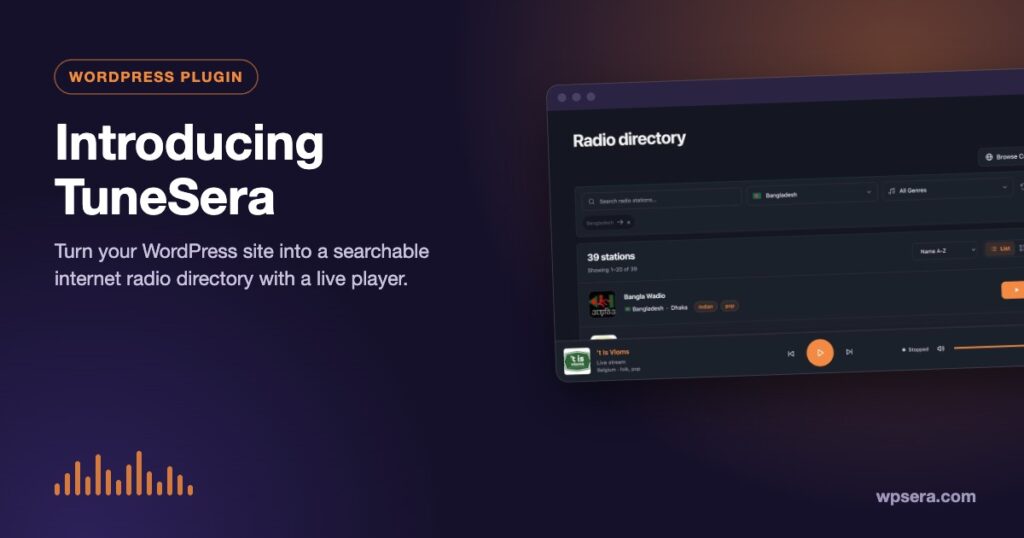
Internet radio is one of the web’s quiet giants. Tens of thousands of stations stream news, music, sermons, sport and local talk around the clock, yet finding a good station for a particular country, language or genre is still surprisingly hard. TuneSera is our answer: a WordPress plugin that turns any site into a searchable internet radio directory with a player that keeps playing while visitors browse.
In this post we’ll introduce TuneSera, explain who it’s for, walk through its core features, and show how the free plugin and TuneSera Pro fit together.

What is TuneSera?
TuneSera is a WordPress plugin by WPSera for building radio station directories. You add stations (from a ready-made list, a spreadsheet or by hand), and TuneSera gives each one a proper home on your site: a listing in a filterable directory, its own station page, a place in country, genre and language browse pages, and one-click playback.
It is built for WordPress the way you already use it. Stations are a regular post type, locations and genres are taxonomies, and the directory sits on a normal WordPress page. That means your theme, your menus, your SEO plugin and your caching setup all keep working.
Who is TuneSera for?
- Publishers and bloggers who want to build a radio directory as a content site, the kind that ranks for searches like “radio stations in Bangladesh” or “jazz radio online”.
- Community and diaspora sites that want every station from home, or in a shared language, gathered in one place.
- Radio stations and networks that want to showcase their own stations with proper station pages and a built-in player.
- Agencies and developers who need a dependable, extendable directory for a client, with shortcodes, hooks and a REST API.
Core features at a glance
A searchable, filterable radio directory
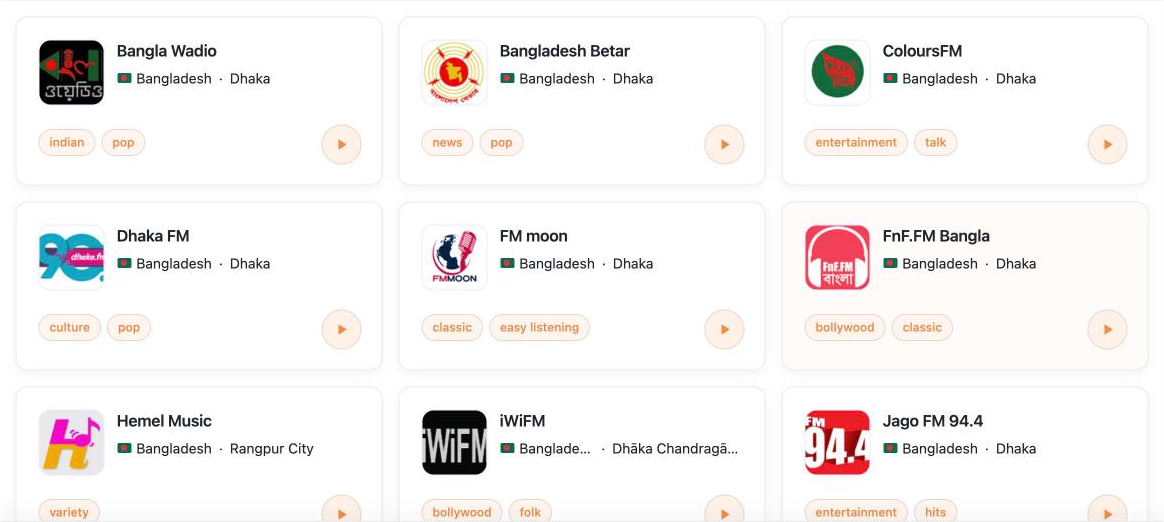
The heart of TuneSera is the directory page. Visitors can search by name, filter by country, genre and language, sort alphabetically or by newest, and switch between a clean list and a card grid. You choose how many stations show per page and what each card displays: logo, description, genres, location, language and frequency.
A sticky player that keeps the music going
Press play on any station and TuneSera’s sticky player appears at the bottom of the screen. It stays put as visitors move from the directory to a station page to a country archive, so listening isn’t interrupted. Visitors can skip to the previous or next station, change the volume, and expand the player to see station details and, when the stream shares it, the song that’s playing now.

A page for every station
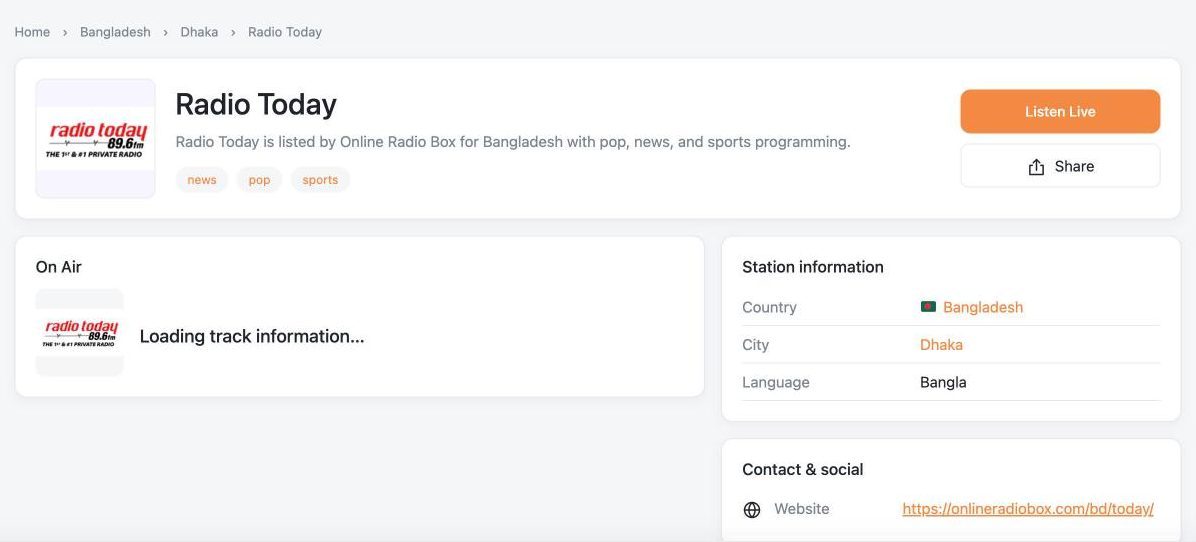
Every station gets its own page with its logo, description, genres, location and broadcast details, plus contact information, website and social links, and related stations. Station pages include RadioStation structured data, which helps search engines understand what each page is about.
Browse by country, genre and language
TuneSera organizes stations into a location hierarchy of region, country, division (state or province) and city, each with its own archive page. Genre and language browse pages make it easy to explore everything from gospel to talk radio. These archive pages are also natural landing pages for search traffic.
Three ways to add stations
You won’t start from an empty directory. TuneSera gives you three ways to add stations, and you can mix them freely:
- Import by country. The free plugin bundles 1,186 ready-to-import stations from 30 countries, complete with logos, genres, locations and links. The data ships with the plugin, so importing doesn’t contact any outside service.
- Upload a CSV file. Already keep a spreadsheet of stations? Each row needs just a station name, a stream URL and a two-letter country code.
- Add stations by hand. Use the station editor, then test the stream before you publish to make sure it plays.
Stations are matched by their source ID, so importing the same station twice won’t create a duplicate, and stations you add by hand are never overwritten by an import.

A setup wizard that gets you live fast
When you activate TuneSera, a five-step setup wizard walks you through choosing your directory page, importing your first stations, picking a layout and brand color, and reviewing everything before you go live. You can save and come back at any point.
Built for developers, too
TuneSera includes shortcodes such as [tunesera_directory], [tunesera_stations] and [tunesera_search] so you can place directories, filtered listings and search forms anywhere. A visual Shortcode Builder lets you configure and copy them without memorizing attributes. Developers get hooks, filters and REST endpoints to extend it further.
Free vs Pro: how they fit together
Everything in the free plugin works on its own, and many sites will never need more. TuneSera Pro is a separate add-on that installs alongside the free plugin and unlocks extra reach, insight and polish:
| Feature | Free | Pro |
|---|---|---|
| Searchable directory, station pages, browse pages | ✓ | ✓ |
| Sticky player with now-playing information | ✓ | ✓ |
| Bundled stations | 1,186 stations, 30 countries | Global catalog of 70,000+ stations in 230 countries |
| CSV import | Standard columns | Any column names, with field mapping |
| Station logos | Original image URLs | Option to save logos to your Media Library |
| Featured and popular stations, local discovery | — | ✓ |
| Listening analytics stored on your own site | — | ✓ |
| Player styles, popup player, sleep timer, default station, track artwork | — | ✓ |
| Typography, spacing and button controls | — | ✓ |
In the free plugin, Pro options are visible with a PRO badge so you can see what’s available. The badges disappear as soon as your Pro license is active, and upgrading keeps all of your stations and settings.
See it in action
TuneSera already powers WorldRadio.online, a global radio directory built with the TuneSera plugins and theme. It’s a good way to see how a large directory feels to browse and listen to.
Requirements
- WordPress 6.6 or newer
- PHP 7.4 or newer
- Any well-built theme. The TuneSera theme is designed to pair with the plugin, but you don’t need it.
Get started with TuneSera
The free plugin is available on WordPress.org. Install it from Plugins → Add Plugin by searching for “TuneSera”, and the setup wizard will open as soon as you activate it. Our step-by-step guide shows you how to go from a fresh install to a live radio directory.
Want the details? Browse the TuneSera documentation, start with Install TuneSera and Run the setup wizard, or contact the WPSera team with any question.
Frequently asked questions
Is TuneSera free?
Yes. The core plugin is free on WordPress.org and includes the directory, station pages, browse pages, the sticky player and 1,186 importable stations. TuneSera Pro is an optional paid add-on.
Do I need the TuneSera theme?
No. TuneSera works with any well-built WordPress theme. The TuneSera theme is an optional companion designed around the plugin.
Does TuneSera host or rebroadcast the audio?
No. TuneSera plays each station’s own stream directly from the station’s server. Your site lists the stations and provides the player.
Will my stations be lost if I deactivate the plugin?
No. Deactivating never removes your stations or settings. Data is only removed if you delete the plugin with “Remove plugin data on uninstall” turned on.



Join the conversation